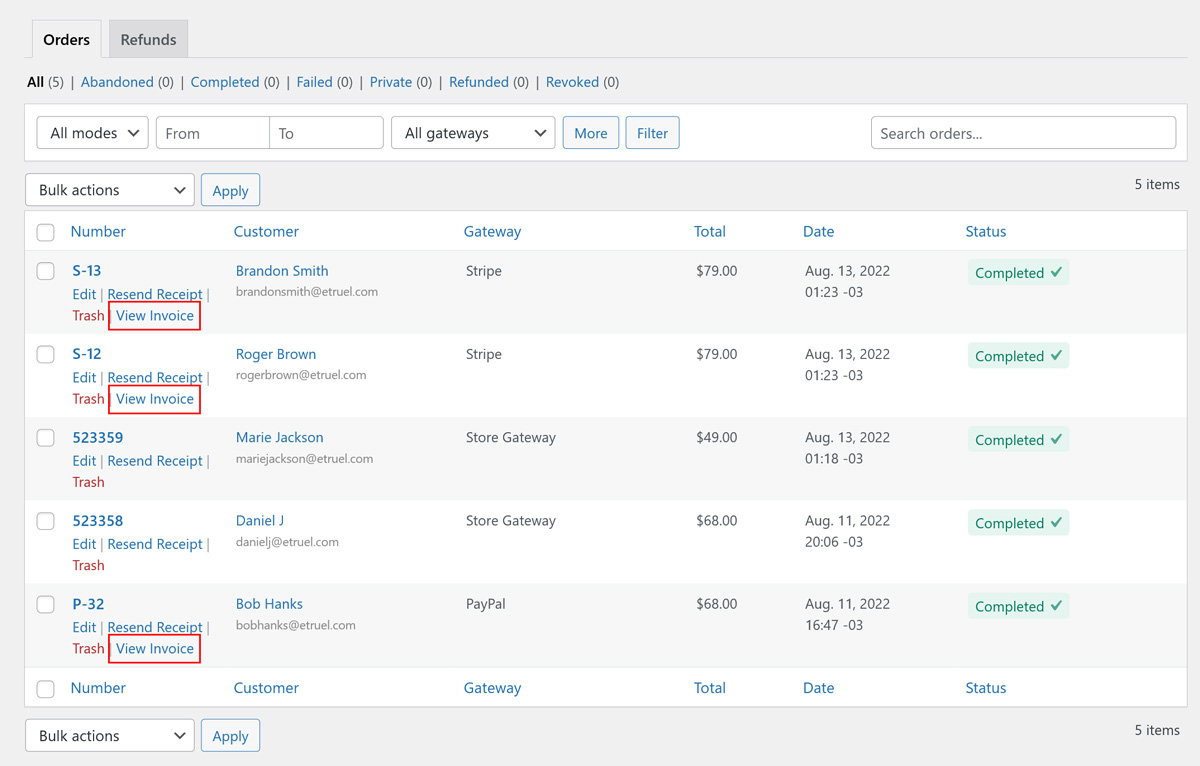
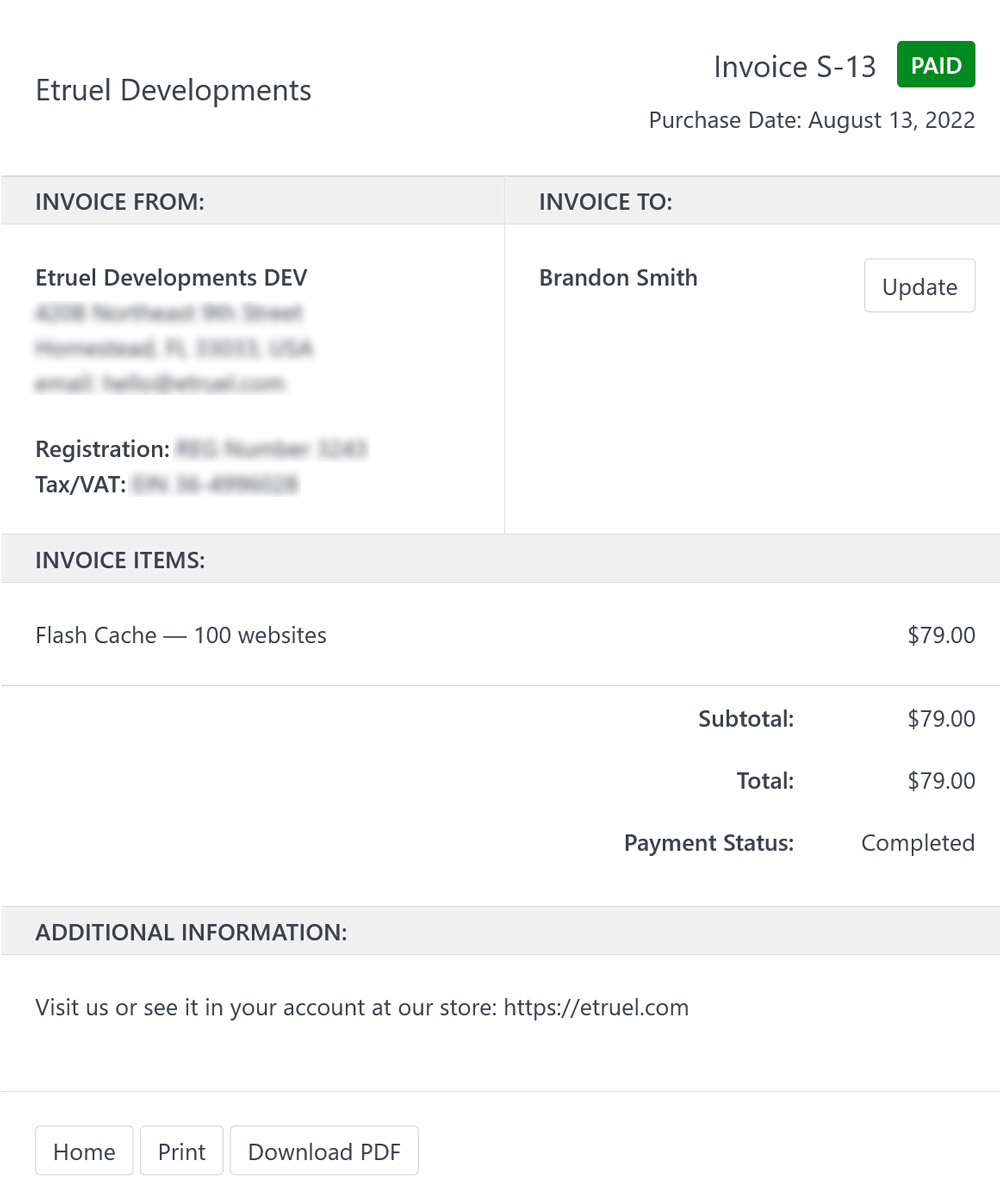
EDD Order Numbers by Gateway works together with the Invoices feature of Easy Digital Downloads. You can give invoices only to the orders paid with the payment gateways you choose, with the numbers of each gateway.
Note: Invoices was an extension of Easy Digital Downloads. Now it’s included in Easy Digital Downloads (Pro). See the Invoices documentation.
First choose the payment gateways in the # by Gateway tab. See How to setup EDD Order Numbers by Gateway.
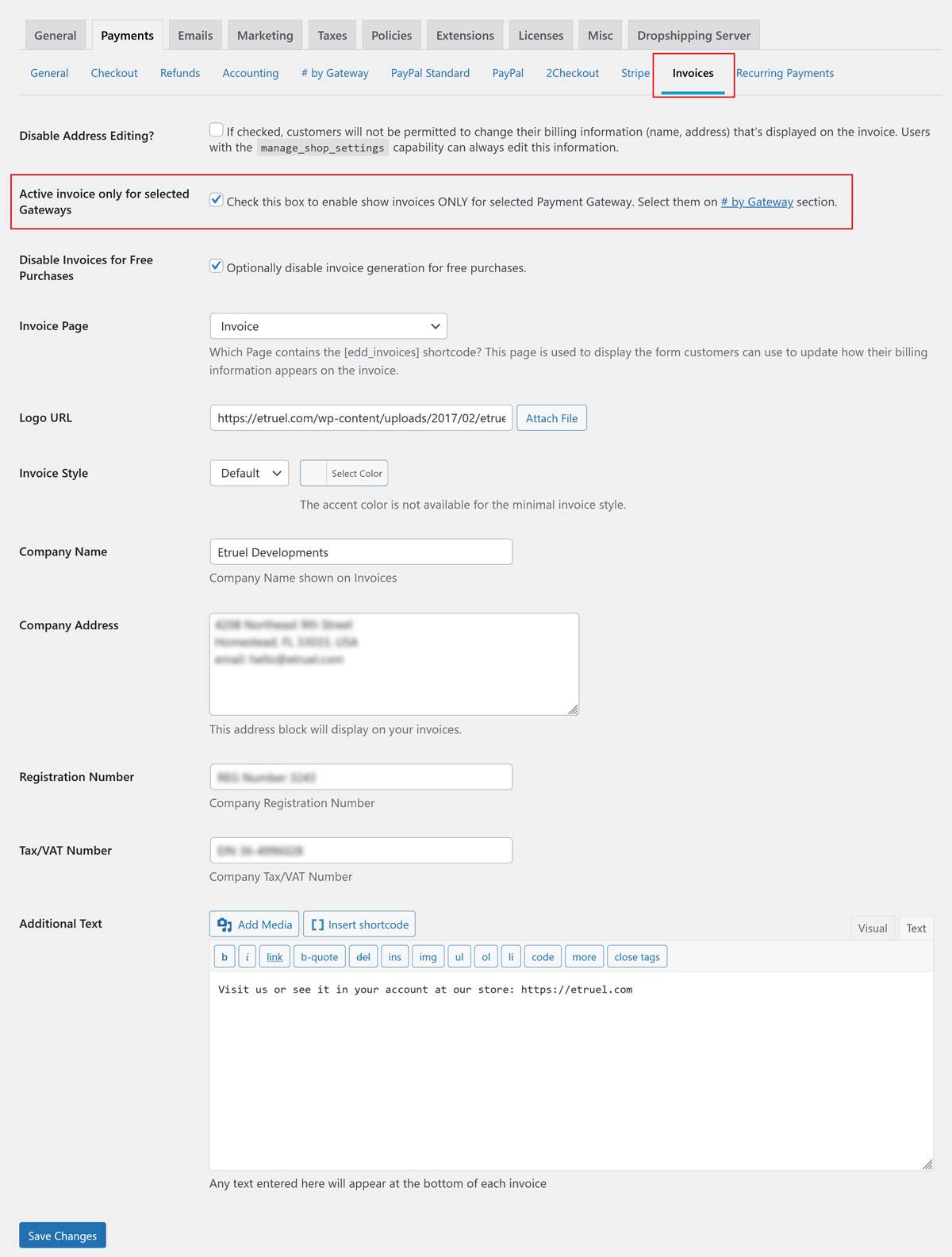
Then go to Downloads → Settings → Payments → Invoices and check Active invoice only for selected Gateways. Save the changes.
The invoices use the numbers of each payment gateway, with their prefix. Invoices are created only for orders newer than the From Date of the gateway.
Customers don’t see the View Invoice button if they paid with another payment gateway, or if the order is older than that date.