

We want your first steps with WPeMatico to be easy. WPeMatico is an autoblogging plugin: you organize your sources into campaigns, and it publishes posts automatically from the RSS/Atom feeds you choose. These are the best places to start.
WPeMatico includes a Getting Started page that explains, in three steps, how to create your first campaign: add the campaign and its feed, choose where the posts go and how often, and preview and run it. You’ll find it in the WPeMatico About page and in the campaigns list, while you have no campaigns yet.
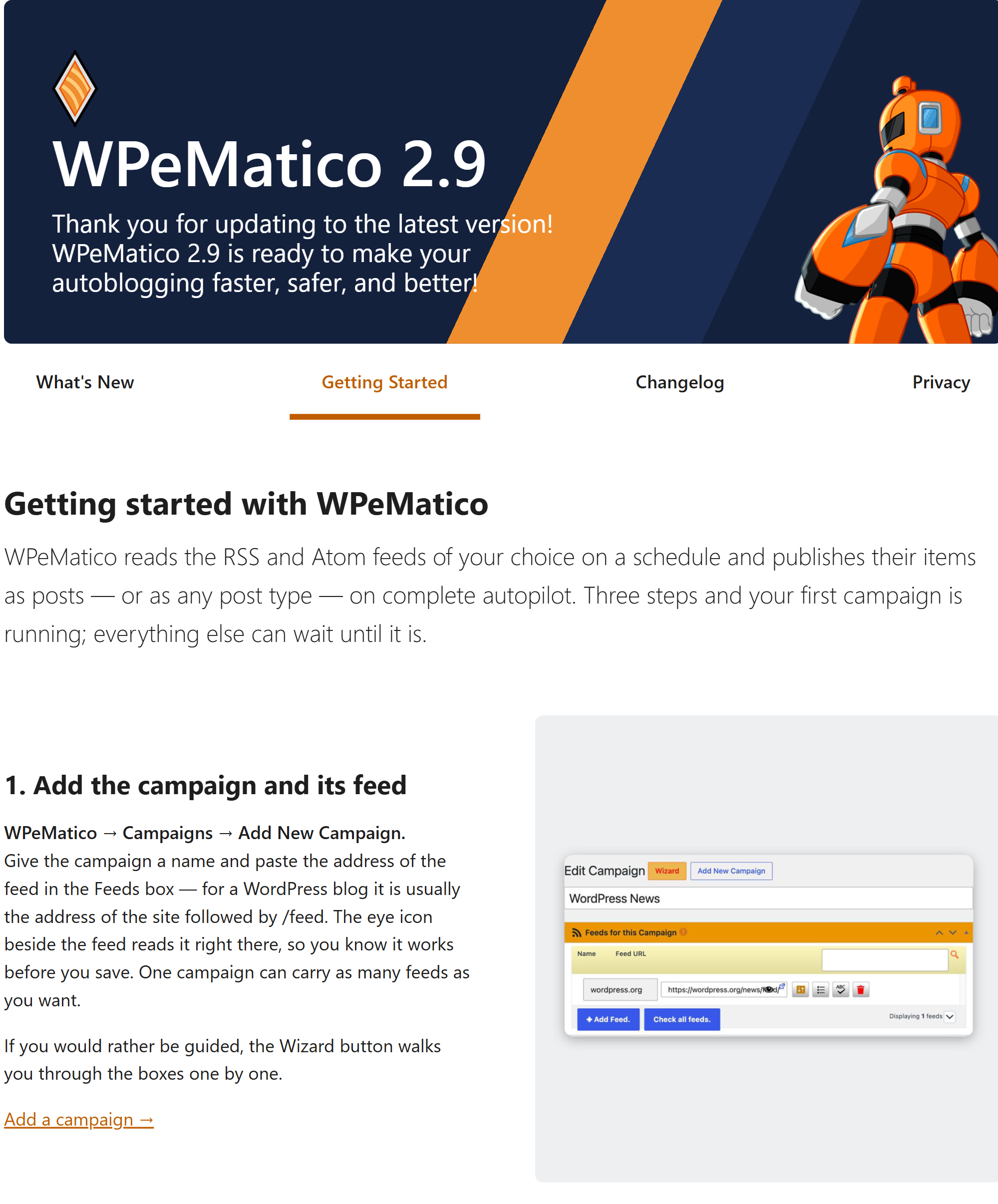
Go to WPeMatico → Campaigns and click Add New. Next to the title of the screen you’ll see the Wizard button: it guides you through the options of the campaign one step at a time. You can also fill the boxes of the campaign directly.

For your first test, a campaign only needs a title and the address of a feed. For example, most WordPress sites publish their feed at https://example.com/feed/.
- Tips: the ! icons next to the options show a short explanation when you hover over them, often with a recommended value.
- Help tab: the Help tab at the top right of the WPeMatico screens opens the documentation of the screen you are viewing. Click it again to close it.
- Settings: in WPeMatico → Settings you set the global options that all the campaigns use, like images, duplicates and the cron.
- Our Frequently Asked Questions, for questions before or after downloading WPeMatico.
- The tutorial videos on wpematico.com.


