

Our goal is to make buying at etruel.com easy and simple, even when you buy several products at once. This is how the checkout page works.
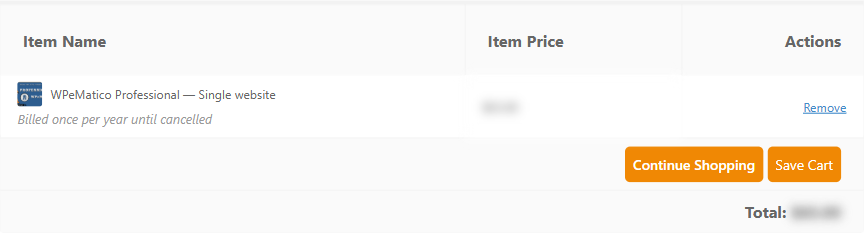
At the top you see the products in your cart, with their price and the total. The products with a yearly license show Billed once per year until cancelled. Click Remove to take a product out, Continue Shopping to add more, or Save Cart to finish later.
If you want to renew a license you already have, click Renew An Existing License, enter your license key and click Add Renewal to Cart. See How do I renew an existing license key?

If you have a coupon, click Have a discount code? Click to enter it, enter the code and click Apply.

Choose how you want to pay:
- Credit Card: processed by Stripe. Enter your card details in the Payment Info section, and your billing address.
- PayPal: you log in to PayPal to complete the payment.
- Crypto by Cryptomus: pay with cryptocurrencies, following the steps of the service.

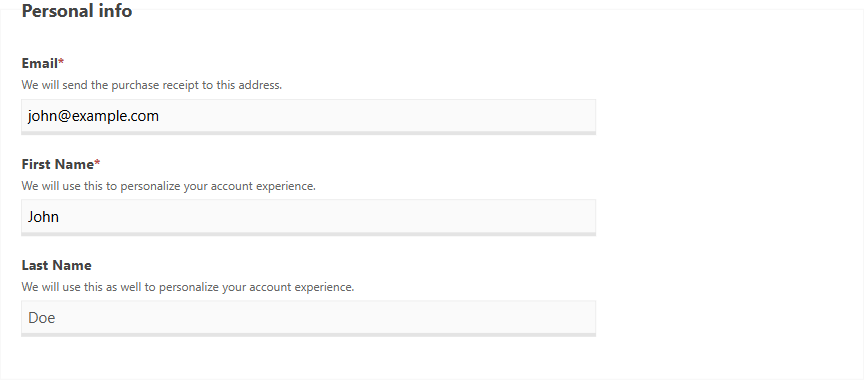
Enter your Email and your First Name. We send the purchase receipt to that email, so use one you check. If you are logged in to your account, these fields are already filled in.
Check Agree to Terms & Conditions and Privacy Policy to complete the purchase. Click Show Terms to read them, or see our Terms and Conditions. Then click Purchase.

After the payment, you get the receipt by email, and you find your downloads and license keys in your account.


