

EDD Order Numbers by Gateway gives the completed orders of your Easy Digital Downloads store a sequential number for each payment gateway, or one sequence for all the gateways you choose. It’s useful to number your invoices only for some payment gateways, and only when the order is paid.
The new numbers are kept apart from the EDD sequential order numbers, so it works together with that feature. It’s not compatible with the Advanced Sequential Order Numbers extension.
- Go to Downloads → Settings → Payments and open the # by Gateway tab.
- Check Sequential order by Gateway and click Save Changes. Now you see your Active Payment Gateways. A notice about the re-numbering process may appear: ignore it until you finish all the settings.
- Check the payment gateways whose orders must be numbered separately from the rest.
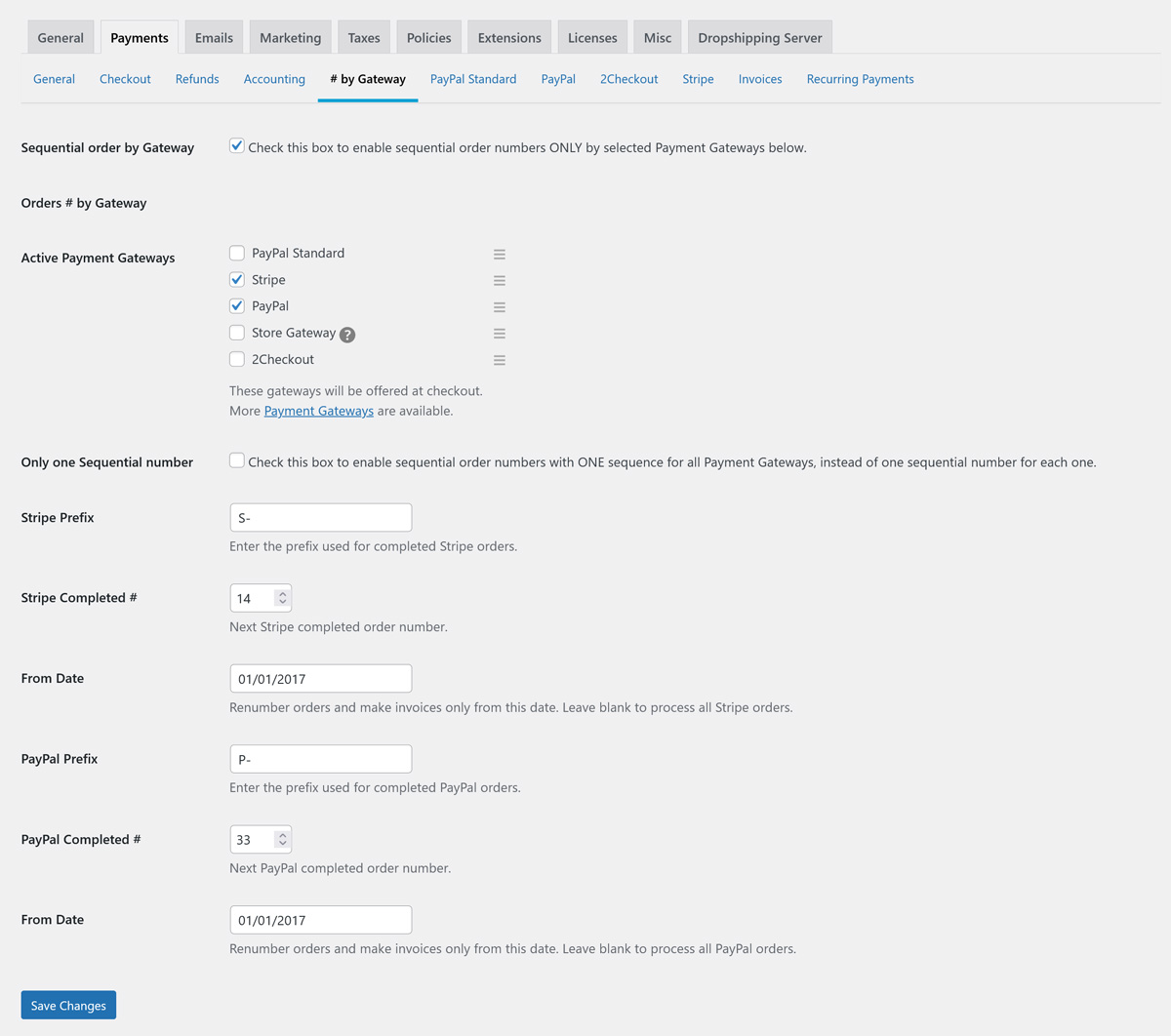
By default, each payment gateway has its own sequence. For example, one for Stripe and another one for PayPal. For each gateway you set:
- Prefix: the text before the number, like
S-for Stripe orP-for PayPal. - Completed #: the next number to use.
- From Date: the date from which the past orders are re-numbered and invoiced. Leave it blank to process all the orders.
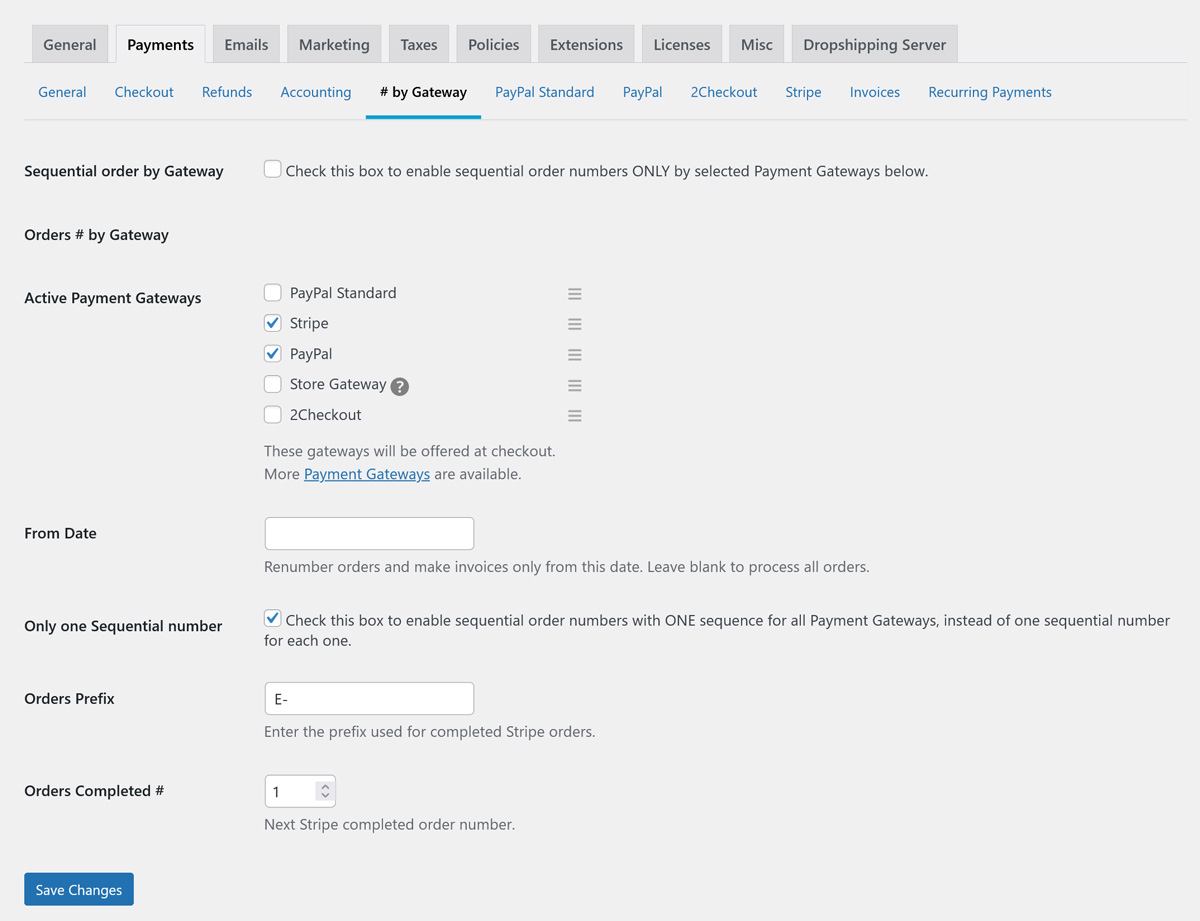
If you prefer one sequence for all the chosen gateways, check Only one Sequential number and save again to see the fields of the global sequence. Incomplete orders and orders paid with other gateways keep the number given by EDD.
After you save the settings, a notice says that Easy Digital Downloads needs to upgrade the past orders. Click Start the order numbers upgrade to re-number the orders you already have, from the From Date of each gateway.
- The next number (Completed #) of a gateway must be 1 for that gateway to be included in the re-numbering.
- If no sequence has 1 as its next number, the link that starts the process is not activated.
From then on, every order paid with one of the selected gateways gets its new number automatically.



