

Every time you save a campaign, WPeMatico checks its feed addresses before saving it. If a feed cannot be read, the campaign is not saved and an error message tells you which feed failed and why. This check is enabled by default and helps you detect wrong or broken feed URLs right away.
- The campaign has at least one feed URL.
- Each address has no blank spaces in it.
- Each address can be read as a feed. If not, the message shows the error returned by SimplePie, the library that WordPress uses to read feeds.
The check applies to the feed-based campaign types, such as Feed (the default type) and YouTube.
If a feed is slow to respond, or you prefer to save your campaigns without waiting for the test, you can turn the check off for all campaigns.
Go to WPeMatico → Settings → Advanced and, in the Advanced Actions box, turn on Disable Check Feeds before Save. Then click Save settings.
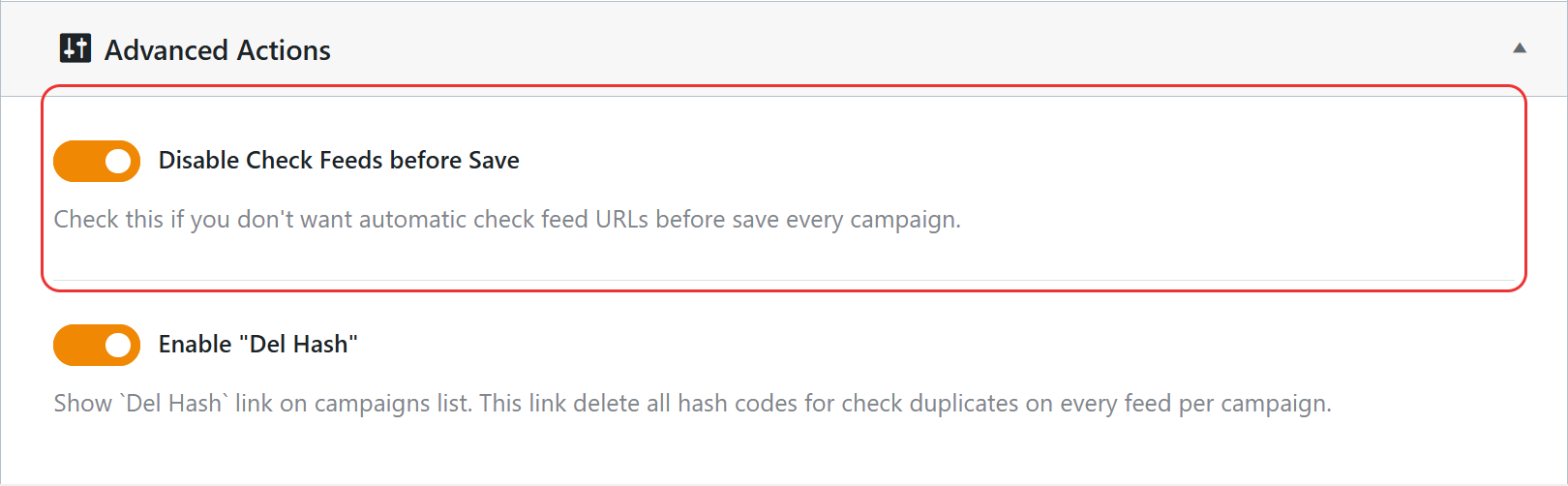
Note: With the check disabled, a wrong feed URL goes unnoticed until the campaign runs. If a campaign does not publish anything, check its log and its feeds.
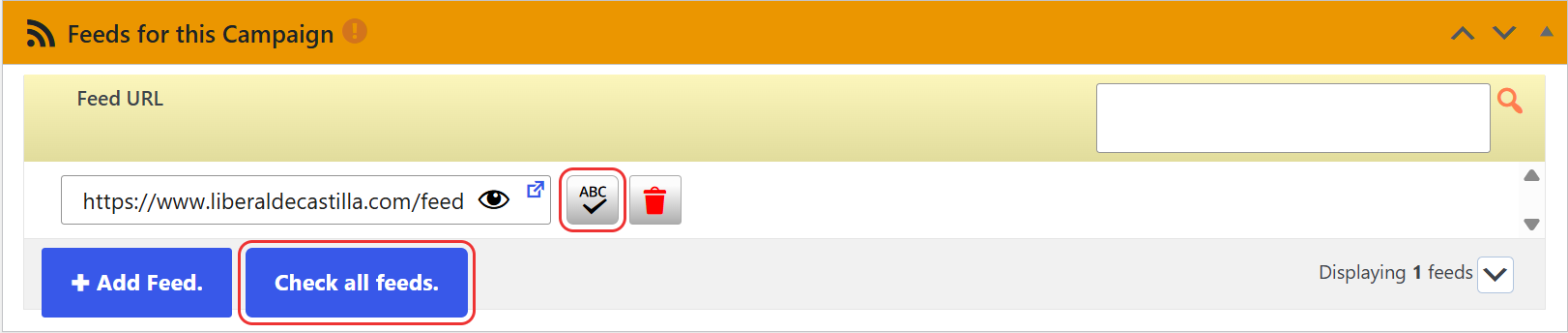
Even with the automatic check disabled, you can test the feeds of a campaign at any time from its Feeds for this Campaign box:
- The Check all feeds button tests every feed of the campaign.
- The check button next to each URL (Check if this feed works) tests only that feed.
A good practice is to test the feeds the first time you add them to a campaign, and again whenever a campaign stops publishing.


