

The Custom Title Options box of the Professional add-on changes the titles of the posts that a campaign creates. To enable it and write your first custom title, see How to use the Custom Title feature? This FAQ explains what each option does.
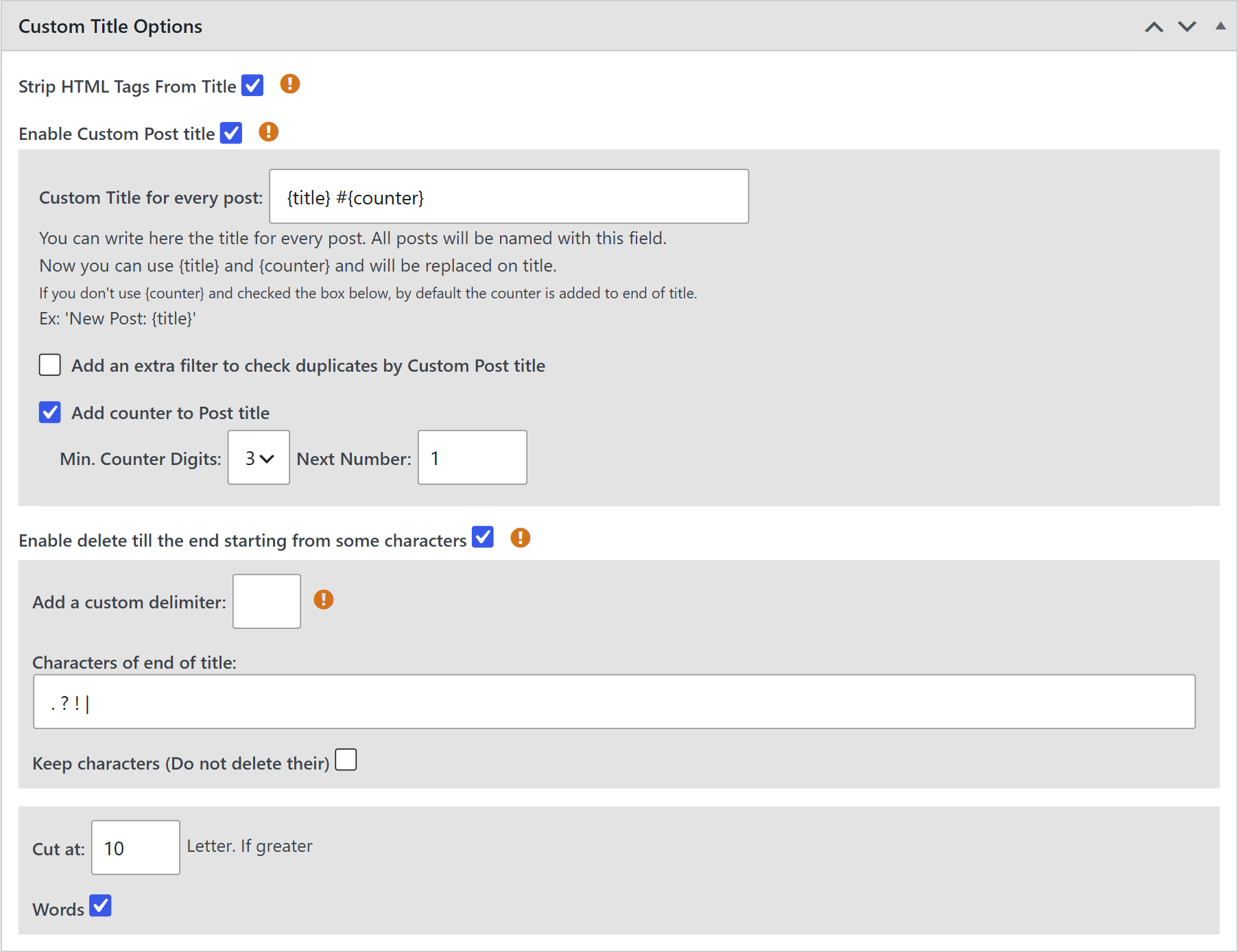
Removes the HTML tags that some feeds include in their titles. See How to strip HTML tags from post titles?
Shows the Custom Title for every post field. Everything you write there becomes the title of each post, with two tags:
- {title} — the title of the feed item, after the cuts below.
- {counter} — a number that grows with each post.
For example, {title} #{counter} creates titles like “Product launch news #001”.
- Add an extra filter to check duplicates by Custom Post title — compares the new title with the titles of the posts already created. Use it if you get duplicates after changing the titles.
- Add counter to Post title — turns on the counter. Min. Counter Digits fills the number with zeros (3 digits: 001, 002…) and Next Number sets where it starts. If you don’t use {counter} in the title, the number is added at the end.
Looks for the characters or words you set and deletes the title from the first one it finds to the end. It’s useful when the feed adds the name of the site or a phrase after the title.
- Characters of end of title — the characters or words to look for, separated by spaces. By default:
. ? ! - Add a custom delimiter — use another separator, for example a comma, if the words you look for have spaces.
- Keep characters (Do not delete their) — keeps the character found and deletes only what comes after it.
For example, with the character |, the title “Product launch news | Example News” becomes “Product launch news”.
If the title is longer, it is cut at that number of letters, or of words if you check Words. Leave it in 0 to keep the whole title.
Note: The deletes and the cut are applied to the title of the feed item, before it is placed in {title}. Then the counter is added.


