

With the Professional add-on, each post that a campaign creates can get its Rank Math SEO data, like the meta description and the focus keyword, from values that come in the feed. Other SEO plugins work the same way; only the names of their fields change.
Follow These Steps
- Find the fields of the SEO plugin. In this example, Rank Math uses
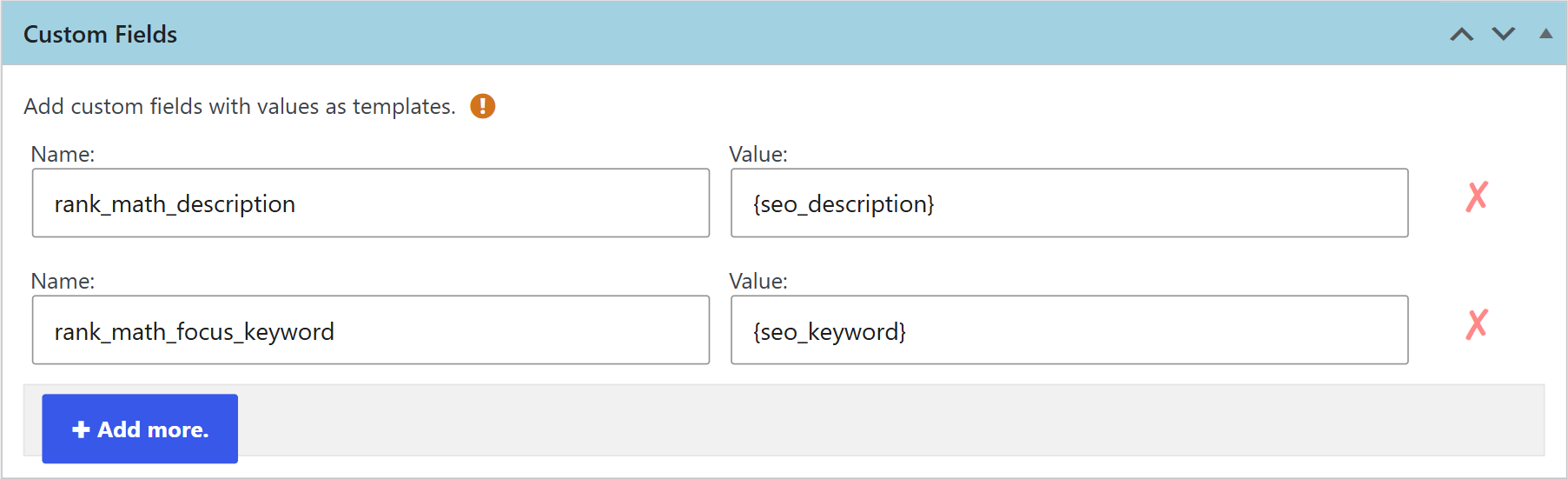
rank_math_descriptionandrank_math_focus_keyword. For another SEO plugin, you can find the names by inspecting the editor of a post, or ask us in a support ticket. - Enable two Professional features. Go to WPeMatico → Settings → Professional and turn on Custom Feed Tags and Custom Fields. The first one reads the values of the tags of the feed; the second one saves them as custom fields of each post.
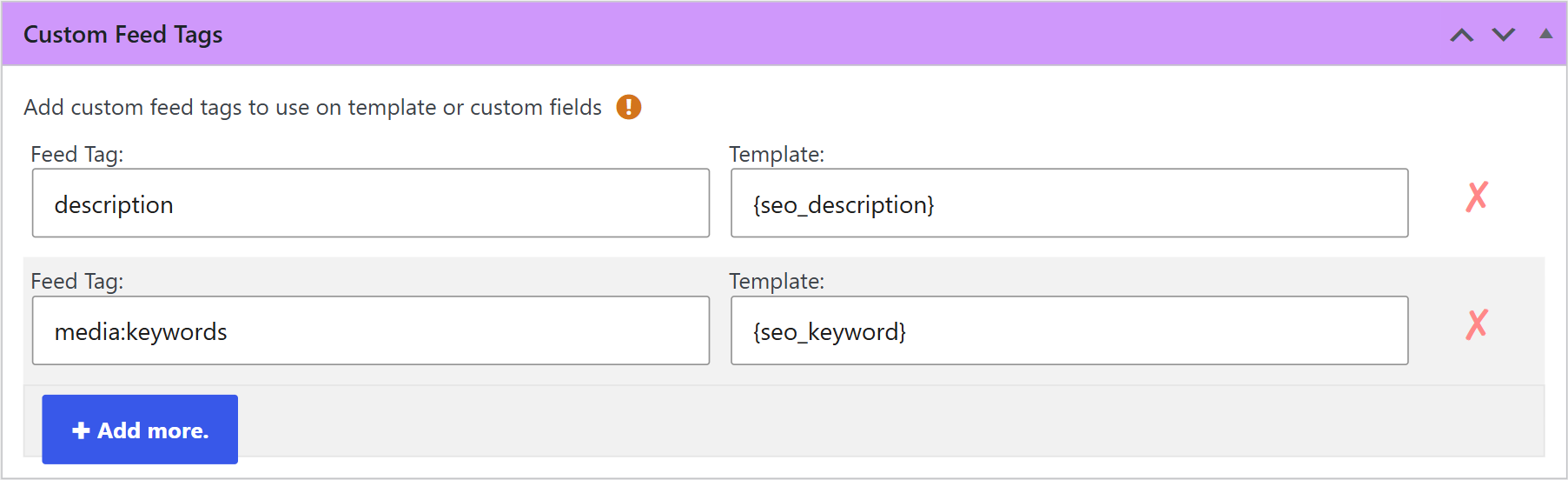
- Read the tags of the feed. In the Custom Feed Tags box of the campaign, write the name of each tag of the feed items and the name of the template variable that will hold its value.
- Save them in the SEO fields. In the Custom Fields box, write the names of the fields of step 1 and, as their values, the variables of step 3.
- Save and run the campaign. The new posts are saved with their SEO data.
Related FAQs


