

The Better Excerpts add-on builds the excerpt of your posts: the short summary that WordPress shows in lists, feeds and search results. You decide how long it is, what is stripped out, where it is used and how it ends.
Its options are in WPeMatico → Settings, in the Better Excerpts tab. Each campaign can also use its own options, with Customize better excerpts for this campaign in its Better Excerpts box.
How the Excerpt Is Built
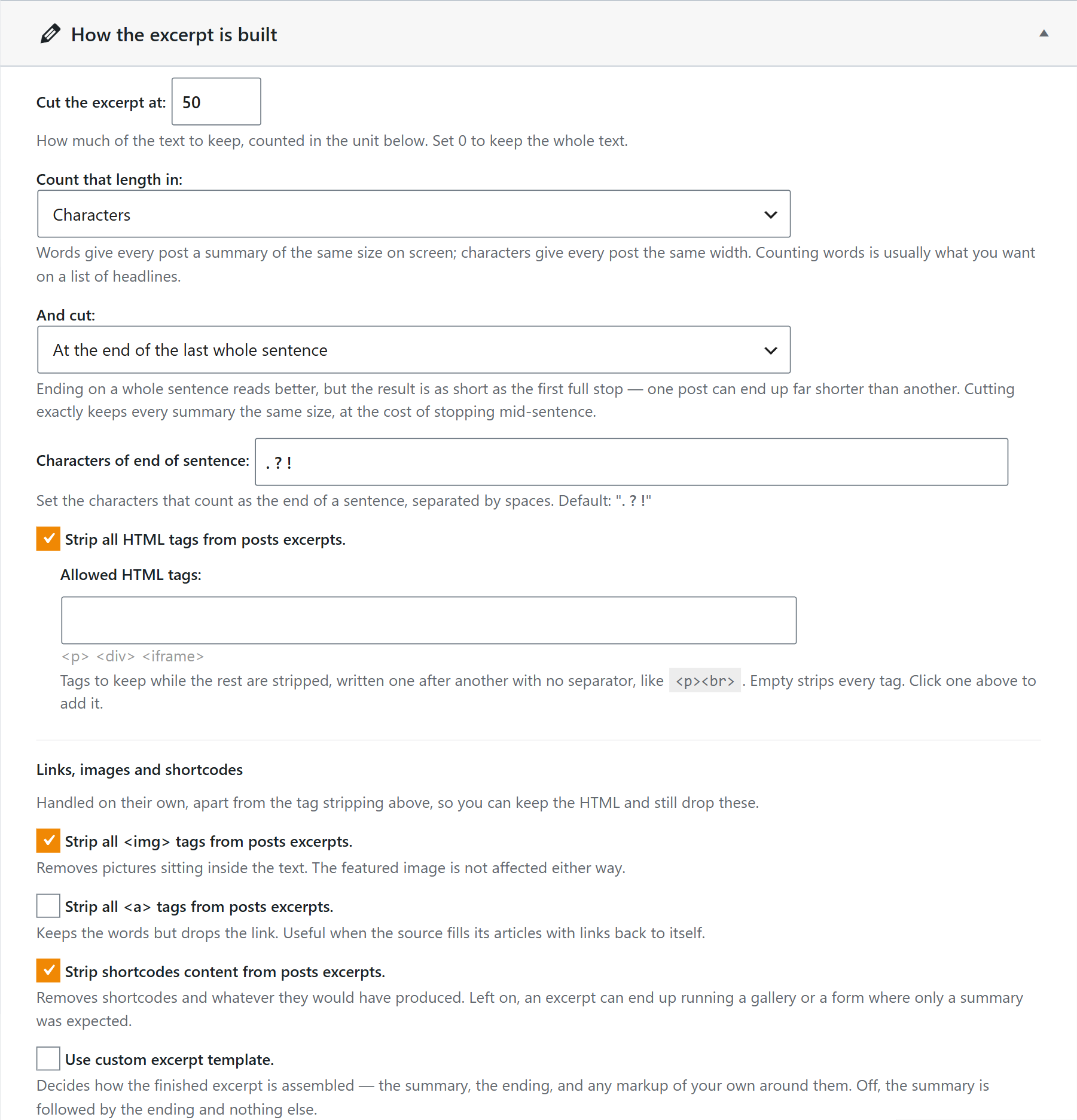
- Cut the excerpt at and Count that length in set the length, in Words or Characters. Use 0 to keep the whole text.
- And cut chooses where to stop: At the end of the last whole sentence, which reads better, or Exactly at that length, so every excerpt has the same size.
- Characters of end of sentence are the characters that end a sentence, separated by spaces. By default,
. ? ! - Strip all HTML tags removes the HTML, except the Allowed HTML tags you write. You can also strip the images, the links (keeping their words) and the shortcodes.
- Use custom excerpt template lets you build the excerpt with your own text and markup around it.
Where Excerpts Are Saved and Used
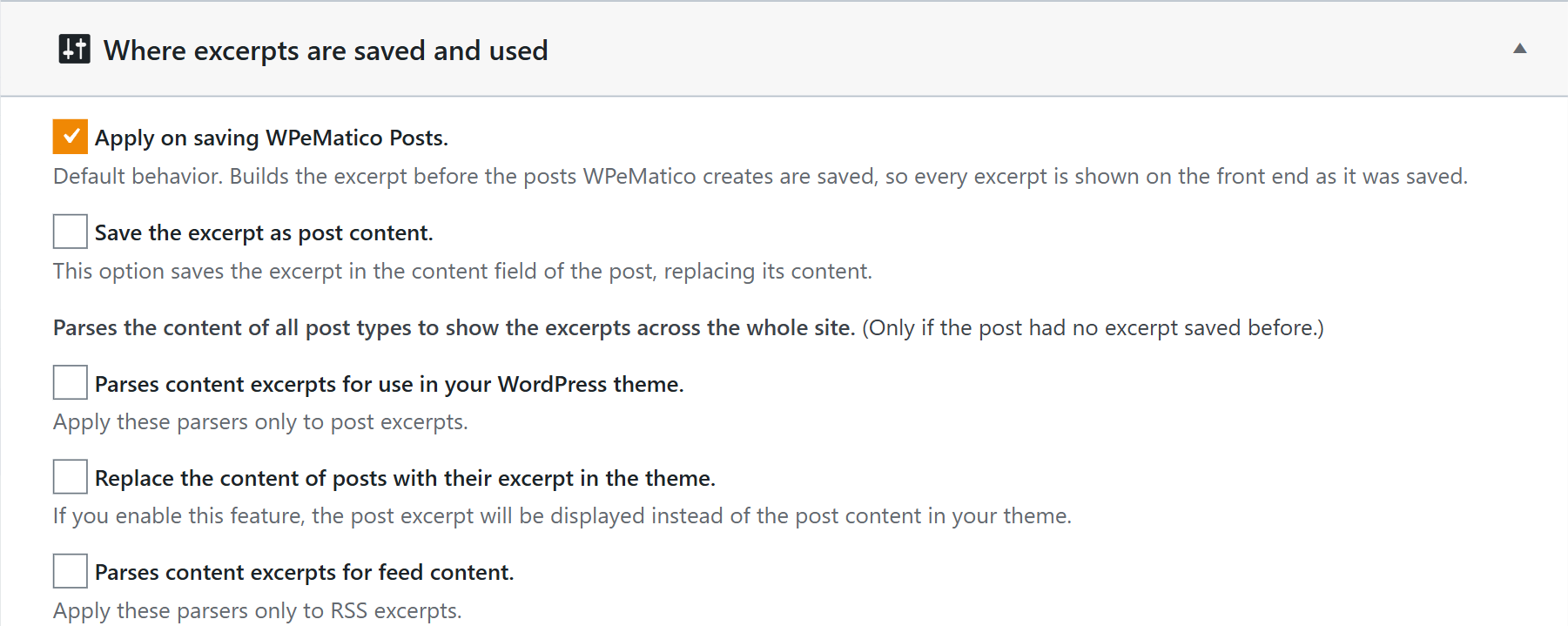
- Apply on saving WPeMatico Posts creates the excerpt when WPeMatico saves each post. It is the default.
- Save the excerpt as post content replaces the content of the post with the excerpt.
- You can also create excerpts for all the post types of the site (only for posts without an excerpt), show the excerpt instead of the content in your theme, or use it in your RSS feed.
The “Read More” Link
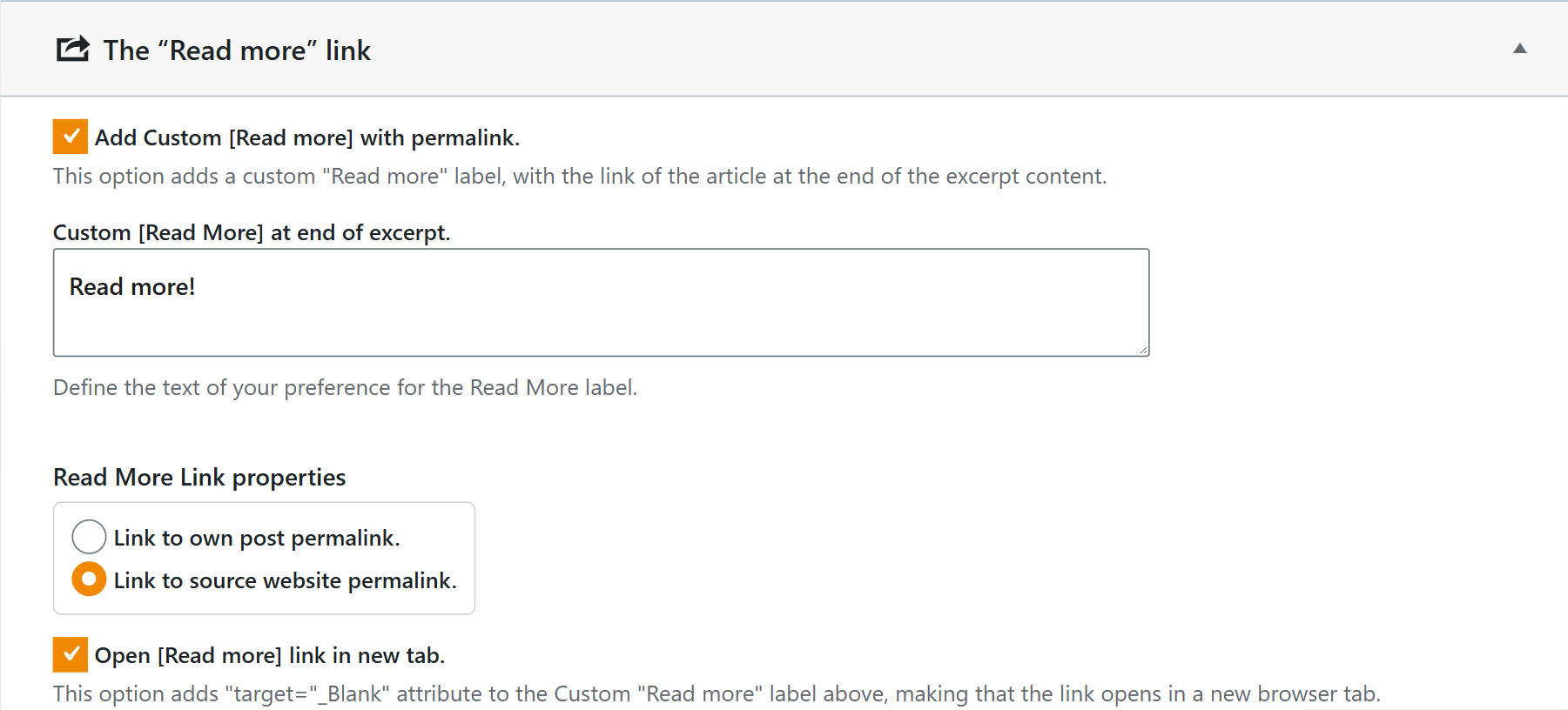
Check Add Custom [Read more] with permalink and write the text of the link. Choose whether it links to your own post or to the source website, and whether it opens in a new tab.
Note: Better Excerpts also works without WPeMatico, for the posts of any WordPress site. Then its options are in its own Better Excerpts menu.
Related FAQs


