

With the Professional add-on, each feed of a campaign can have its own author. The posts of one feed can be published by one user and the posts of another feed by a different one.
Enable the Feature
Go to WPeMatico → Settings, open the Professional tab, turn on Enable “Author per feed” feature and save the settings.
Choose the Author of Each Feed
Edit the campaign. In the Feeds for this Campaign box, each feed now has an Author list next to its URL:
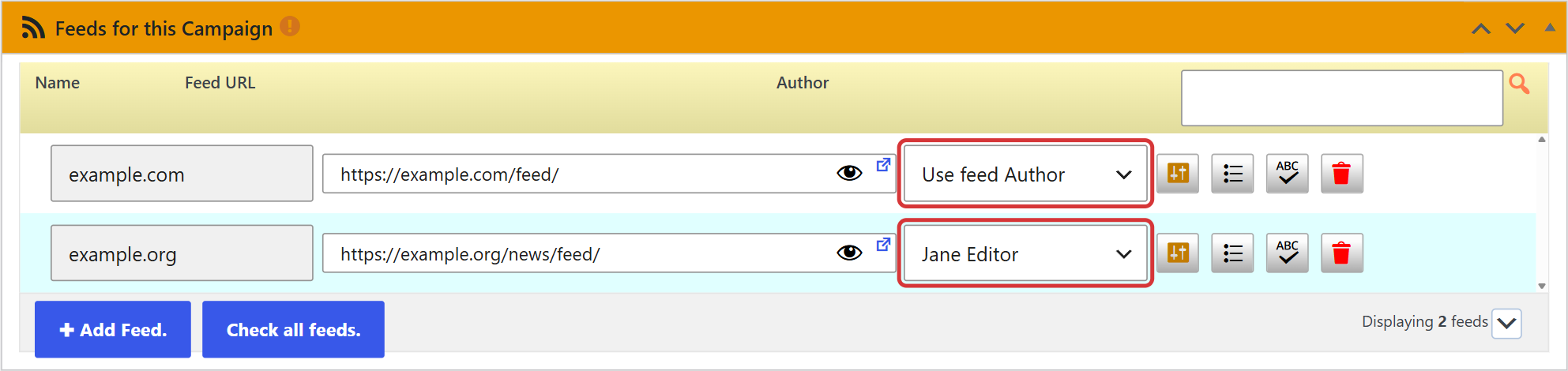
- Use campaign Author — the posts get the author set in the options of the campaign. It’s the default.
- Use feed Author — uses the author that comes in each item of the feed. If there is no user with that name on your site, WPeMatico creates it with the Author role. If the item doesn’t have an author, the campaign author is used.
- Any user of your site — all the posts of that feed are published by that user.
Click Update to save the campaign.
Note: With Use feed Author, a feed with many authors can create many new users on your site. Check the authors of the feed before using it.
Related FAQs


