

The Better Excerpts add-on has a global configuration that applies to every campaign. Set it once, and each campaign can still use its own options when it needs them. It also works without WPeMatico, for any WordPress site.
Go to WPeMatico → Settings and open the Better Excerpts tab. The options are grouped in three boxes.
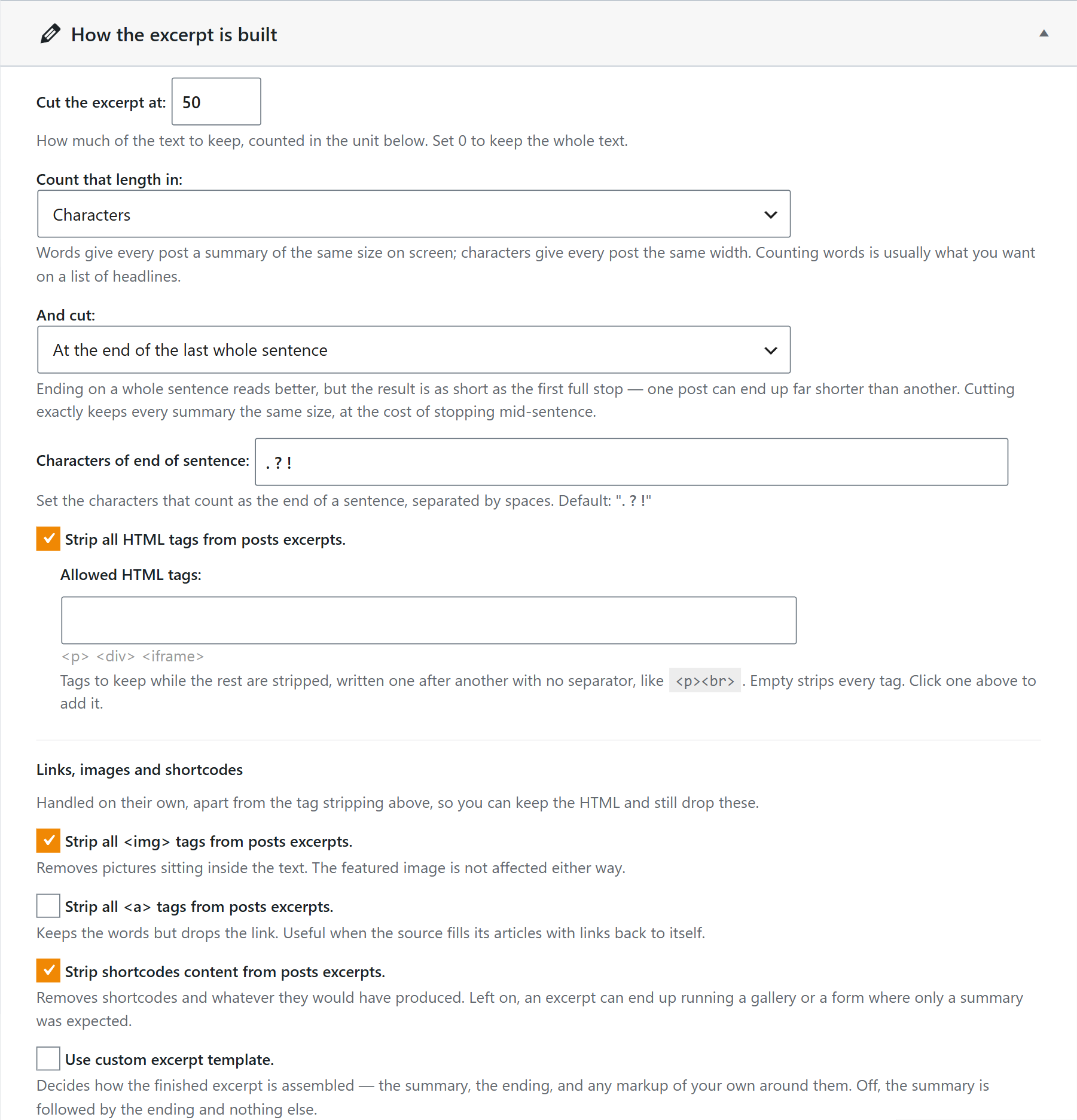
Set the length of the excerpt in words or characters, choose whether to cut at the end of the last whole sentence or exactly at that length, and decide what to strip: the HTML tags (except the ones you allow), the images, the links and the shortcodes. You can also build the excerpt with your own template.
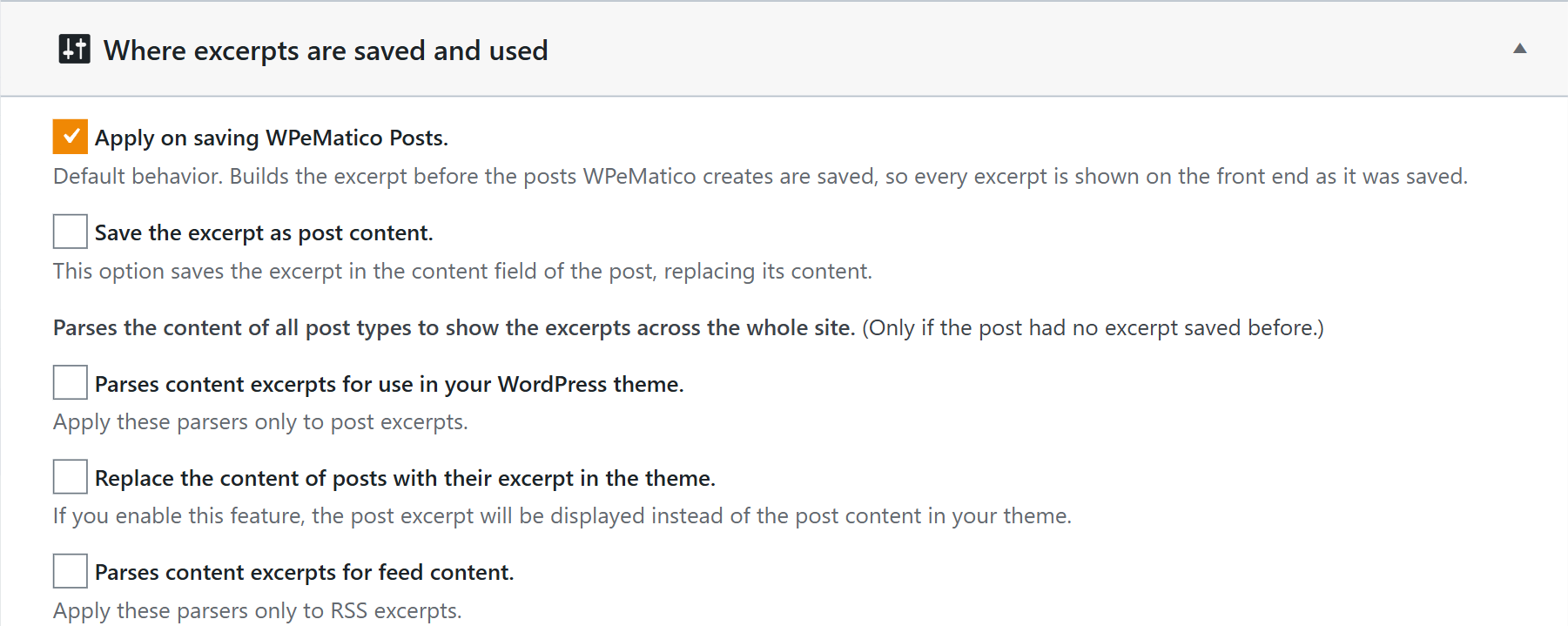
Create the excerpts when WPeMatico saves each post, replace the content of the posts with their excerpt, or use the excerpts across the site, in your theme and in your RSS feed.
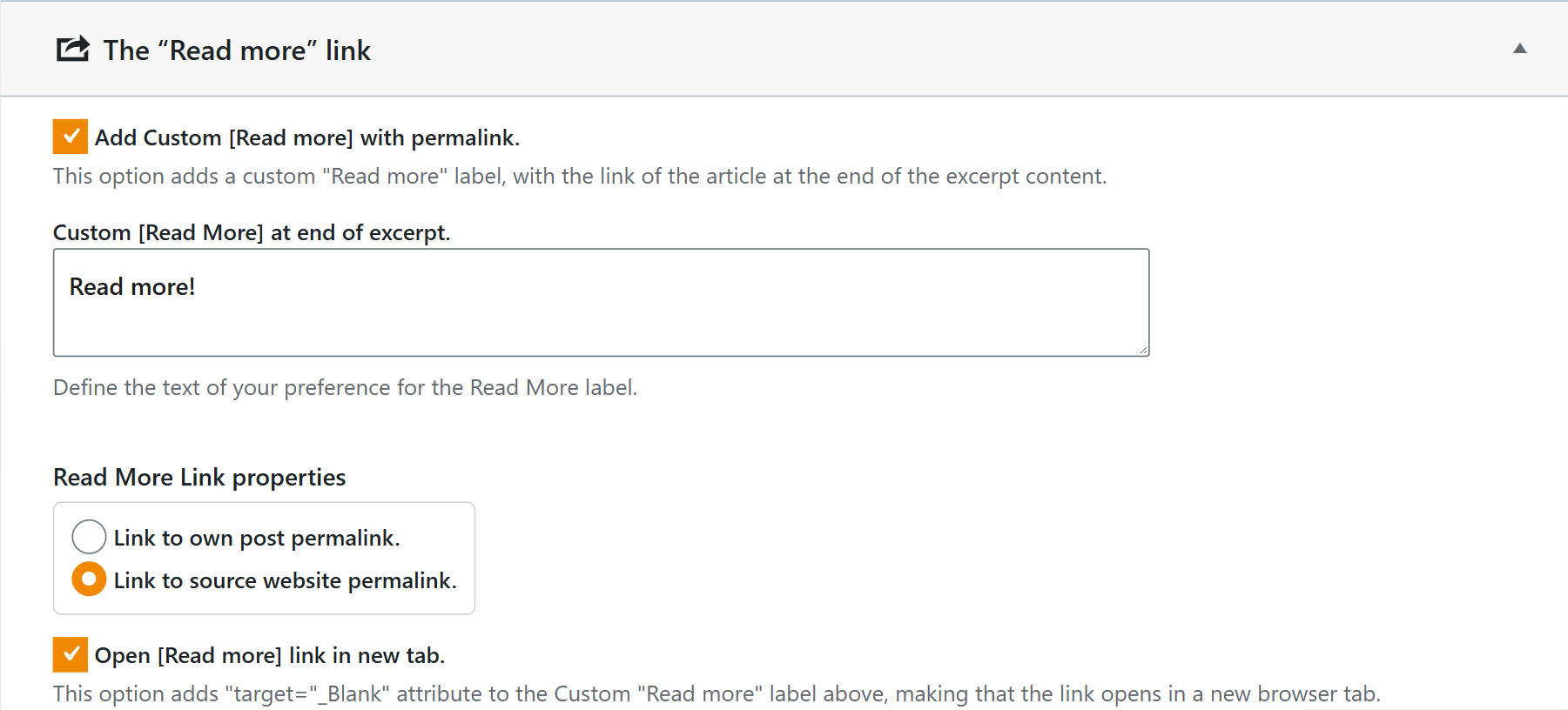
Add a custom Read more text, choose whether it links to your own post or to the source website, and whether it opens in a new tab.
- How does Better Excerpt work? (every option in detail)
- How to set up Better Excerpts in a single campaign?


