

Facebook posts don’t have titles. So the Facebook Fetcher add-on takes the first 10 words of the content as the title of each post. You can change that number in two ways.
With a Filter
Facebook Fetcher has the wpefbf_post_title_words filter. Add this code to the functions.php file of your child theme, or with a code snippets plugin, and change 15 for the number of words you want:
add_filter( 'wpefbf_post_title_words', function( $words ) {
	return 15;
} );
With the Custom Title of Professional
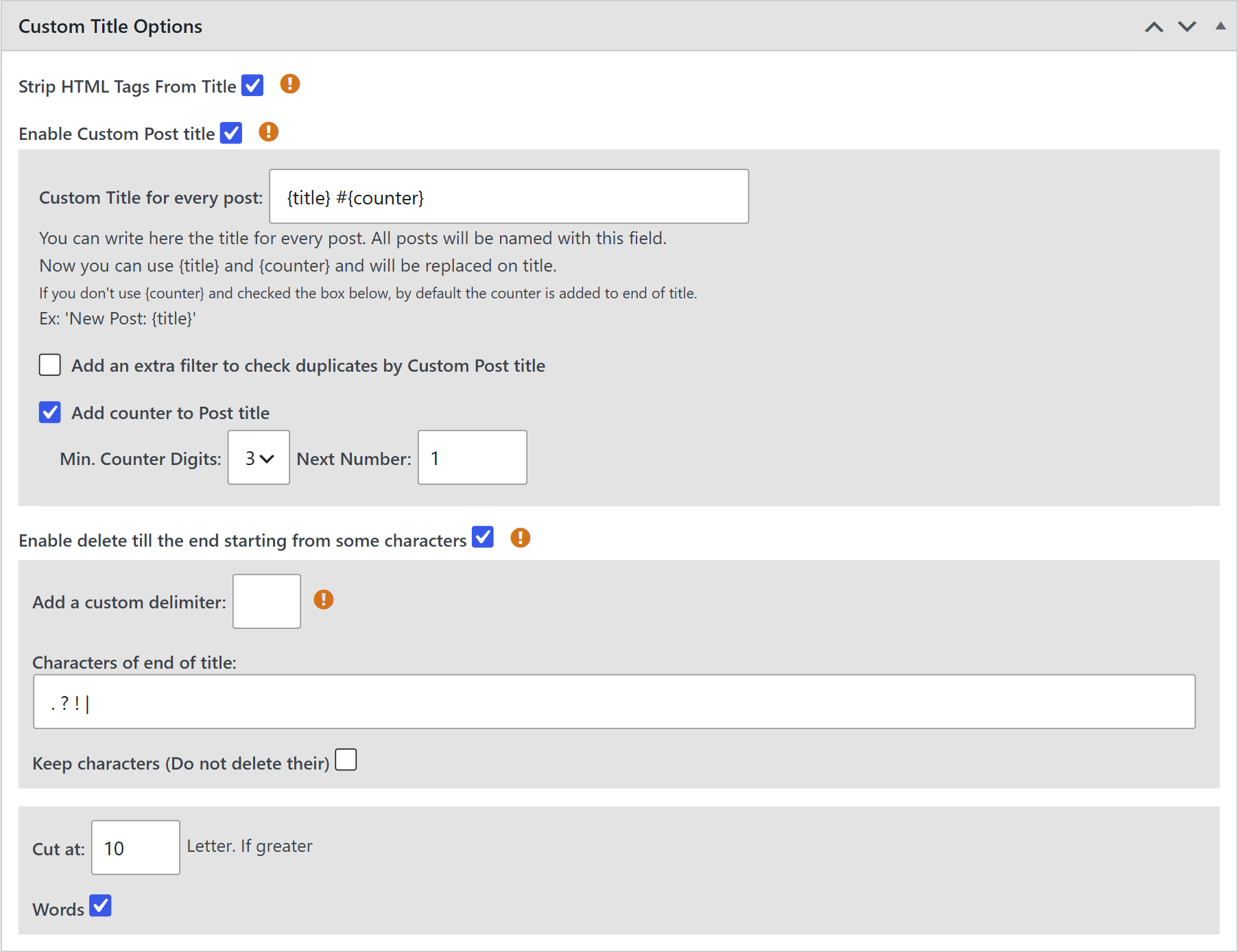
The titles that Facebook Fetcher creates also work with the Custom Title feature of the Professional add-on:
- Go to WPeMatico → Settings → Professional and turn on the Custom Title feature.
- In the campaign, use the Custom Title Options box to cut the title at a number of words or characters, add text before or after it, add a counter and more.
Related FAQs


