WPeMatico Professional gives every campaign real control: what gets in, how it reads, how it looks and where it lands. Set it once, and every post arrives the way you want it.
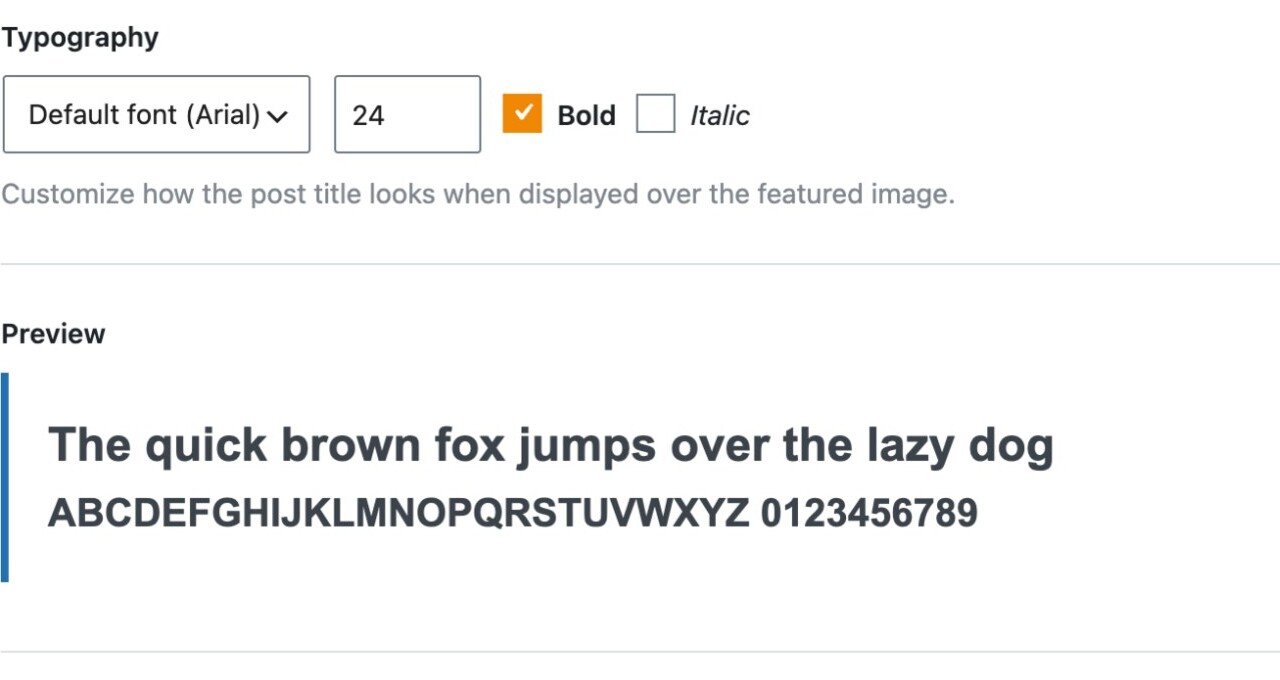
Your brand on every image
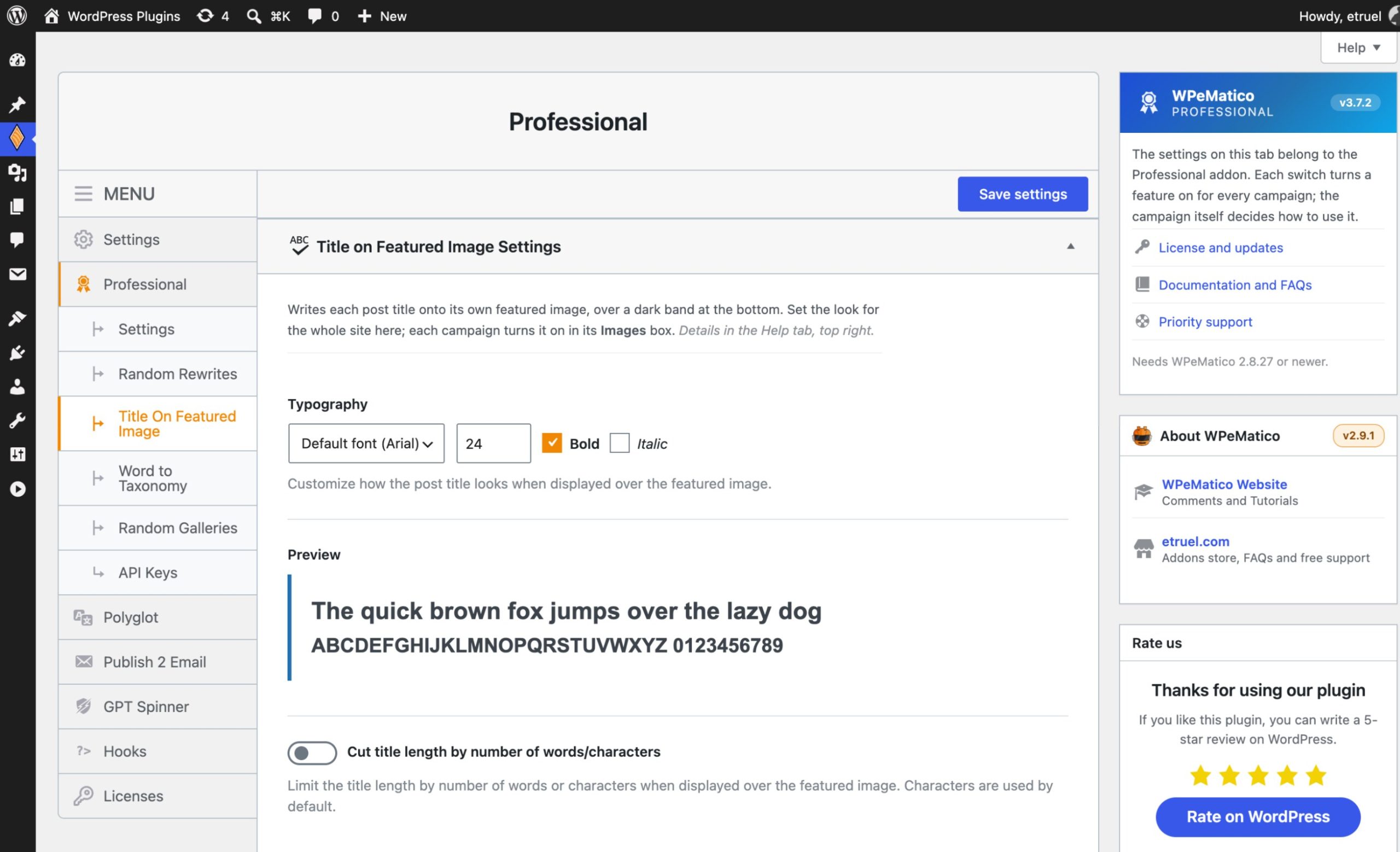
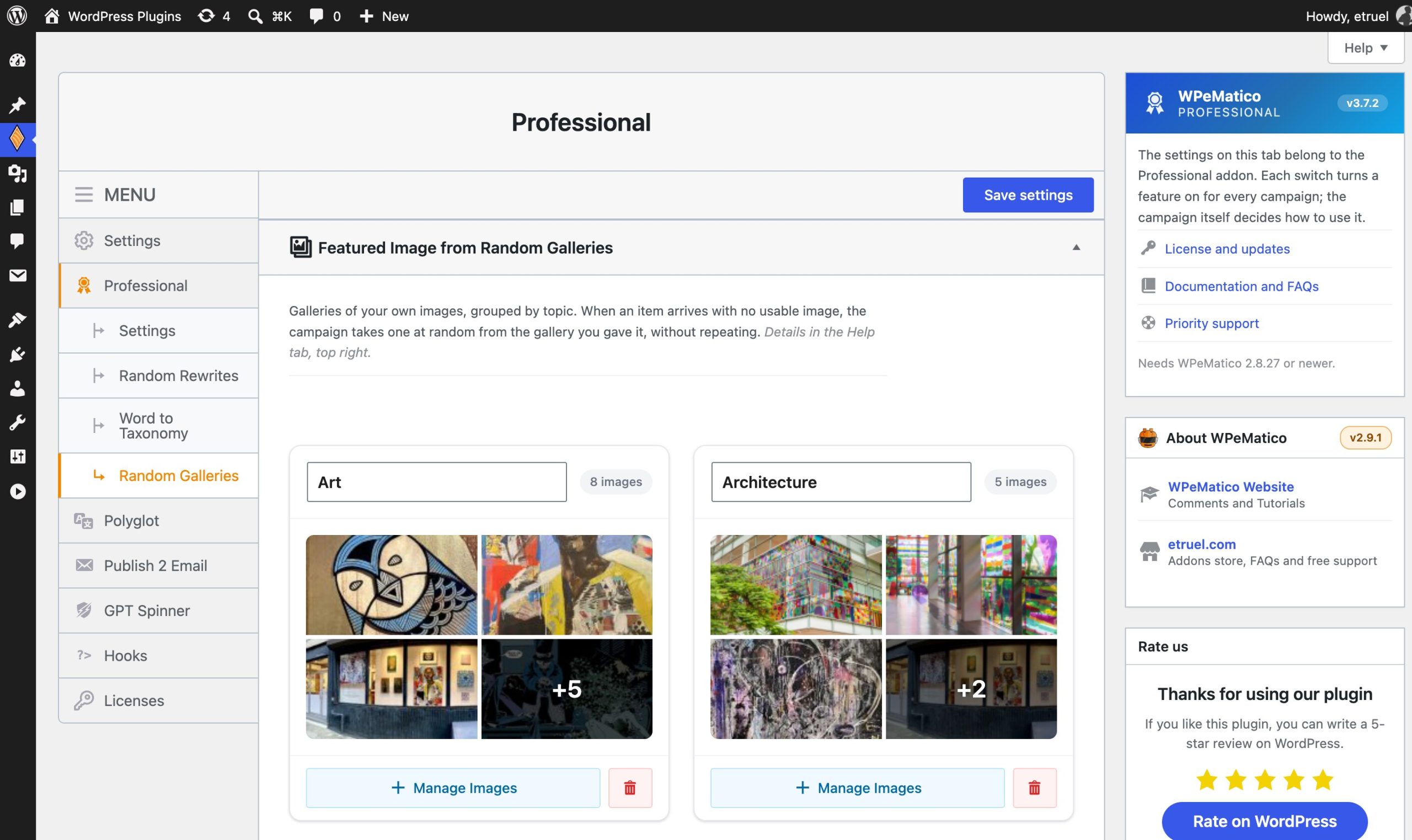
The post title drawn onto its featured image, a gallery of your own pictures for the posts that bring none, and size rules that keep the small ones out.
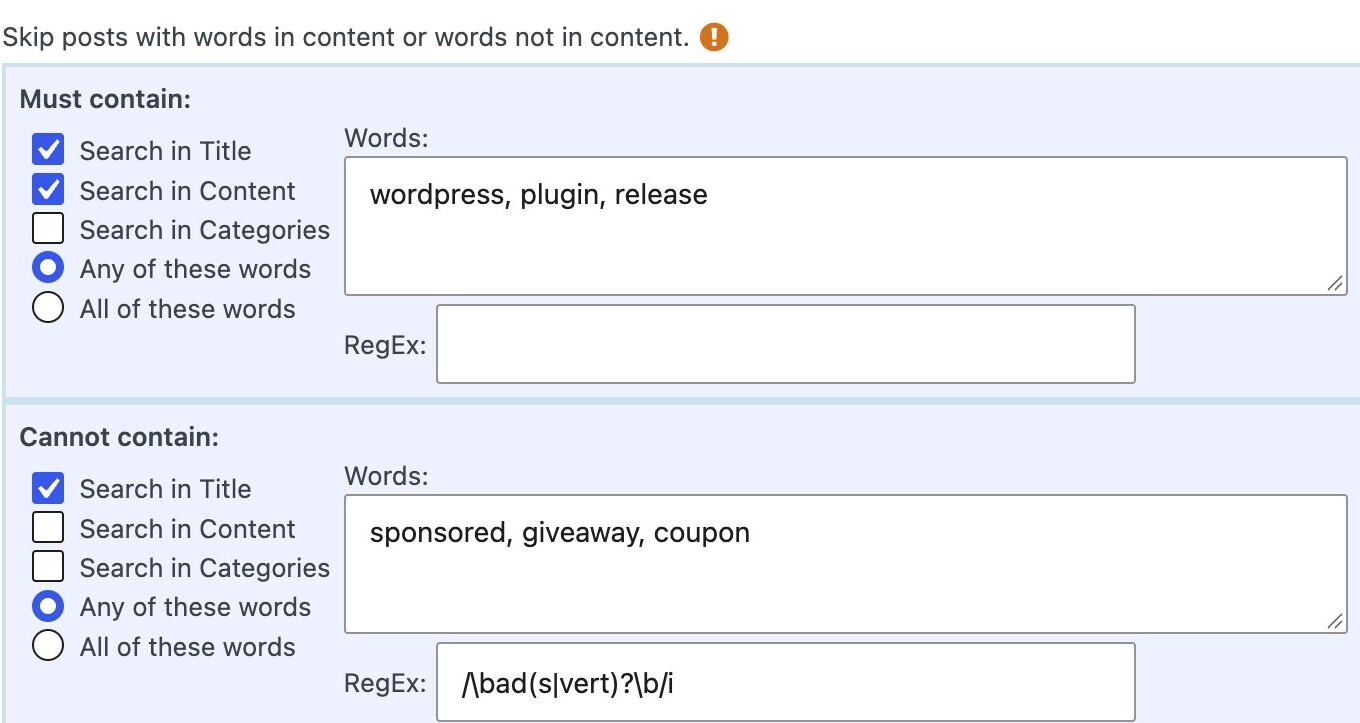
Only the posts you want
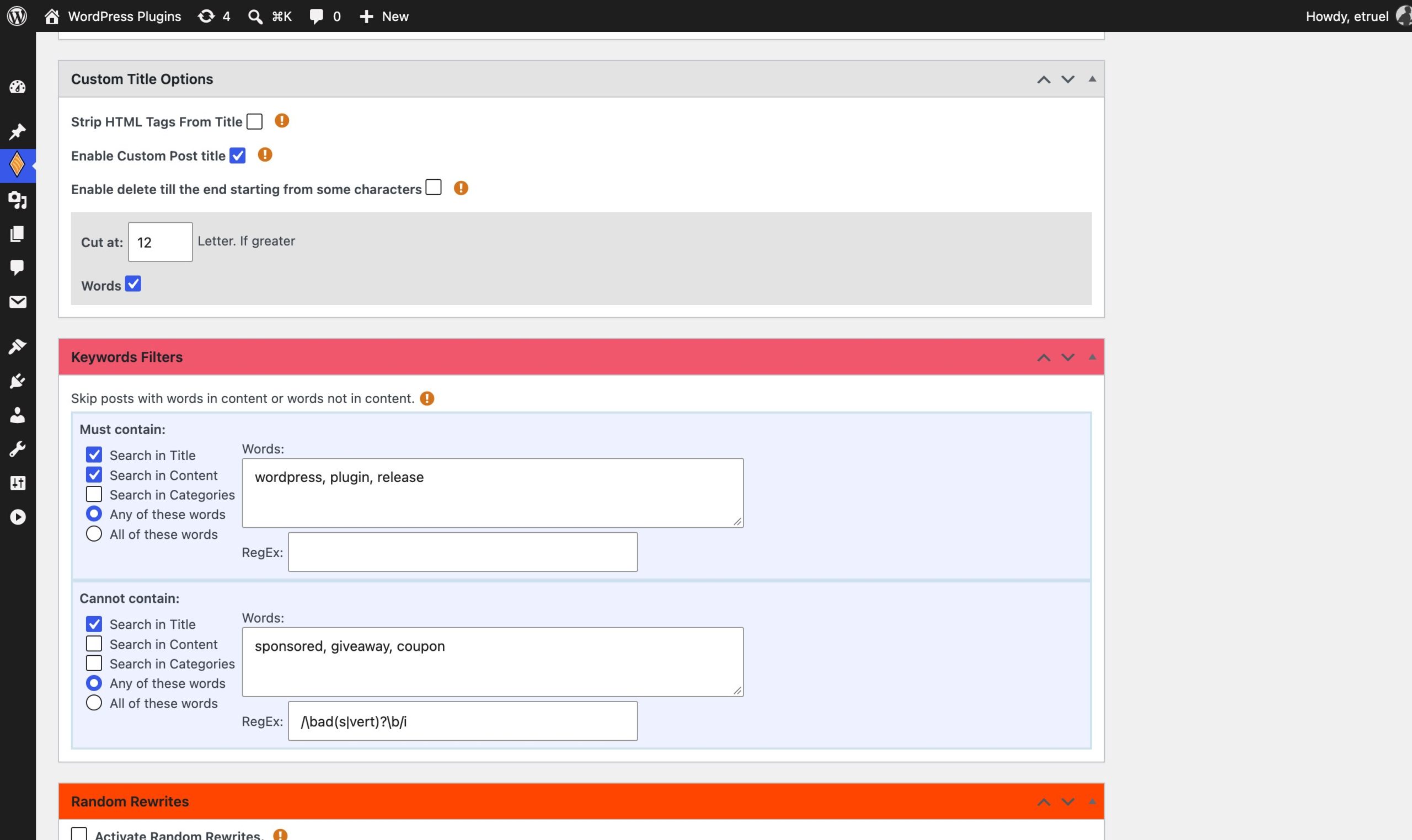
Keyword, author and word count filters decide what gets published and what is skipped, before anything reaches your site.
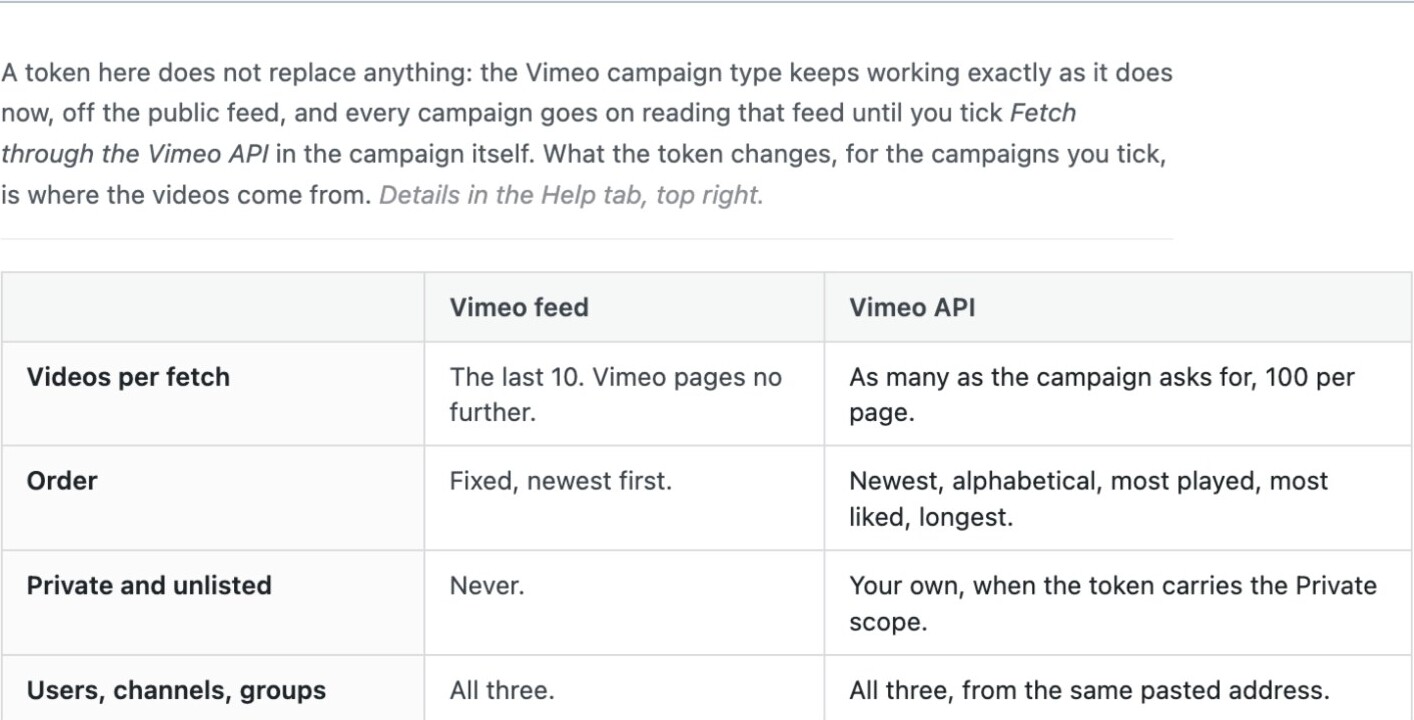
More than the public feed gives
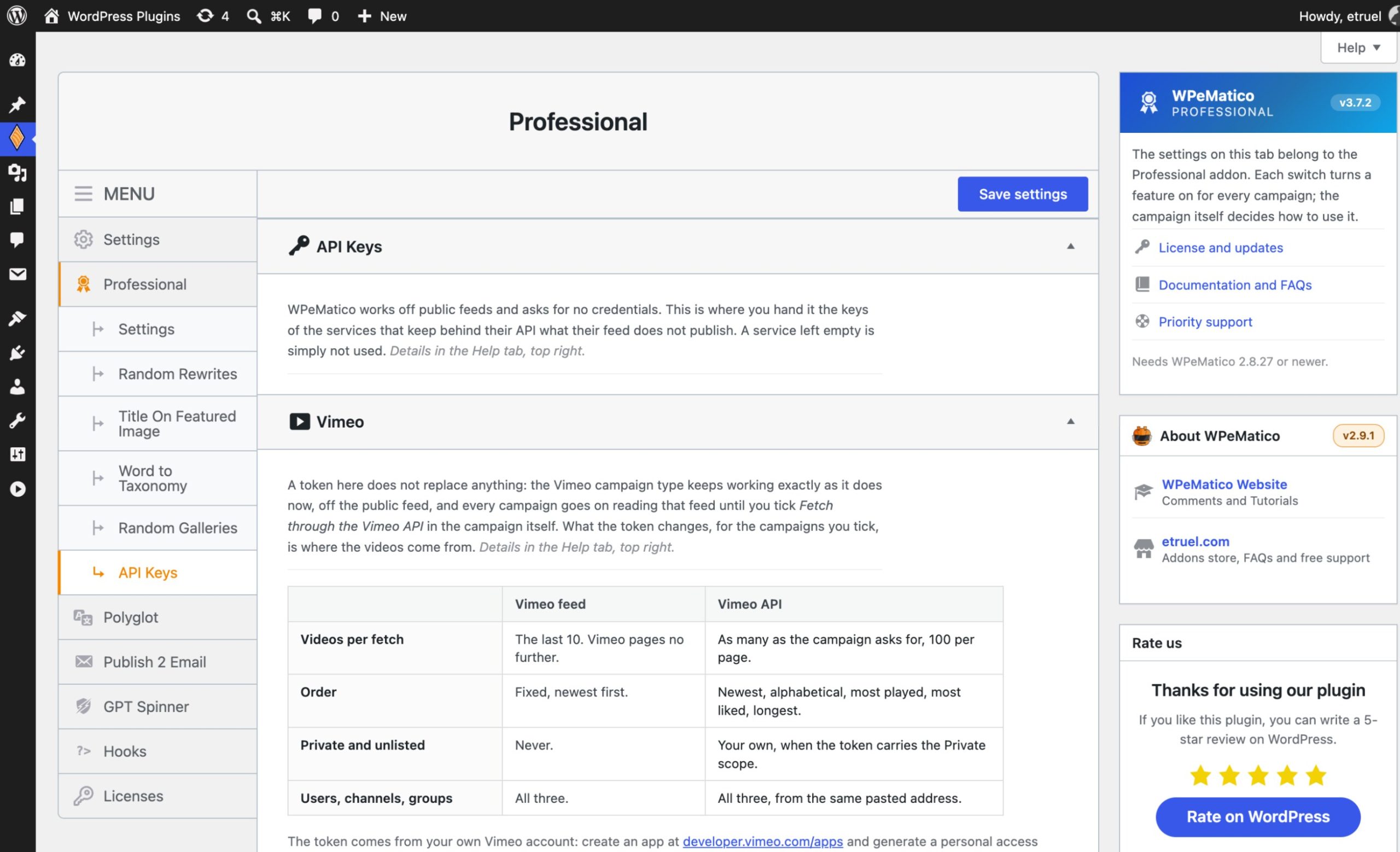
Vimeo through its API, with your private videos and the order you choose. Google News linked to the original article of each publication.
Ready to take control of your campaigns?
Get ProfessionalOne license, every feature on this page.Brand every image
Featured images that look like yours, on every post.
Filter what gets in
Publish what fits your site and skip the rest.
Clean and rewrite the content
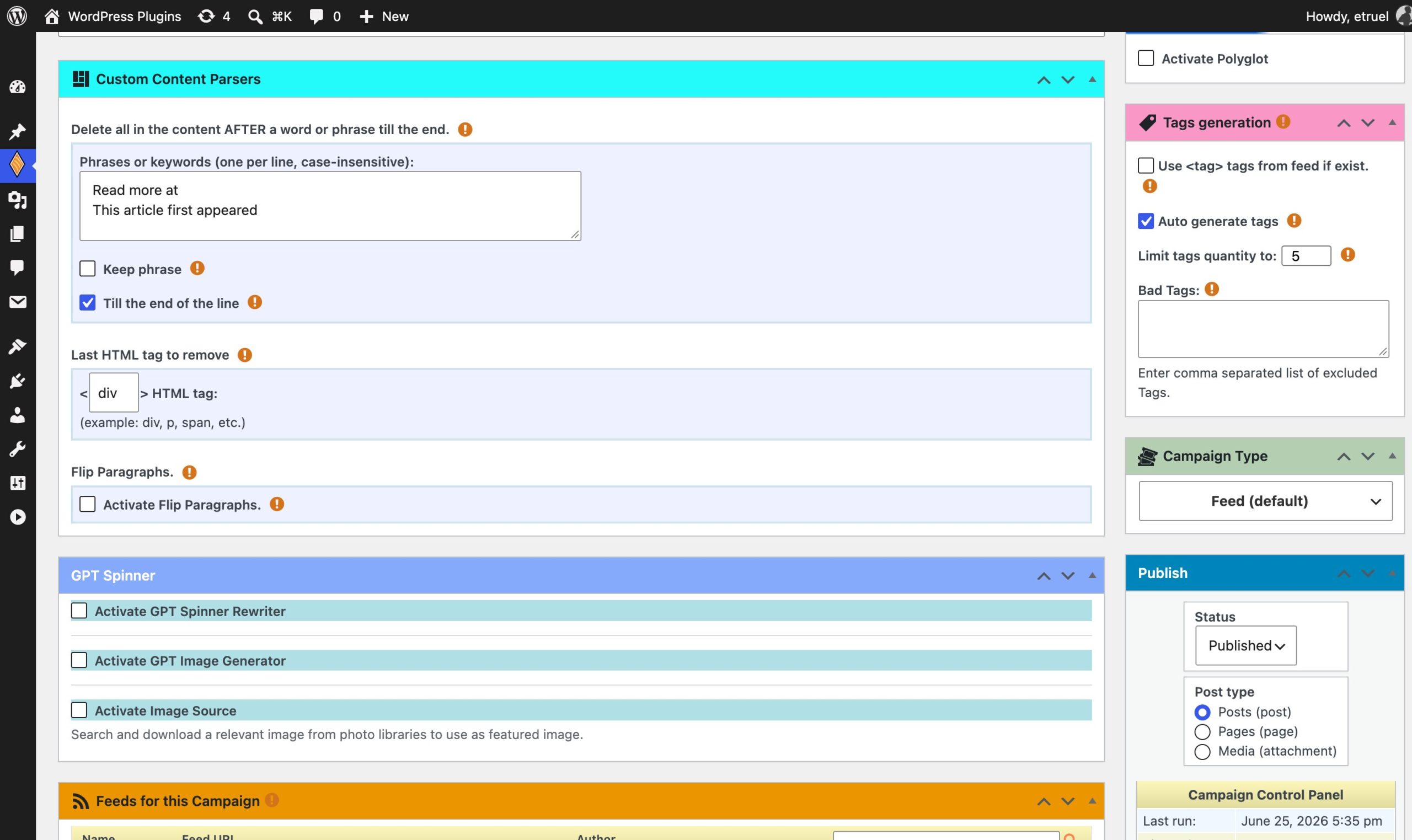
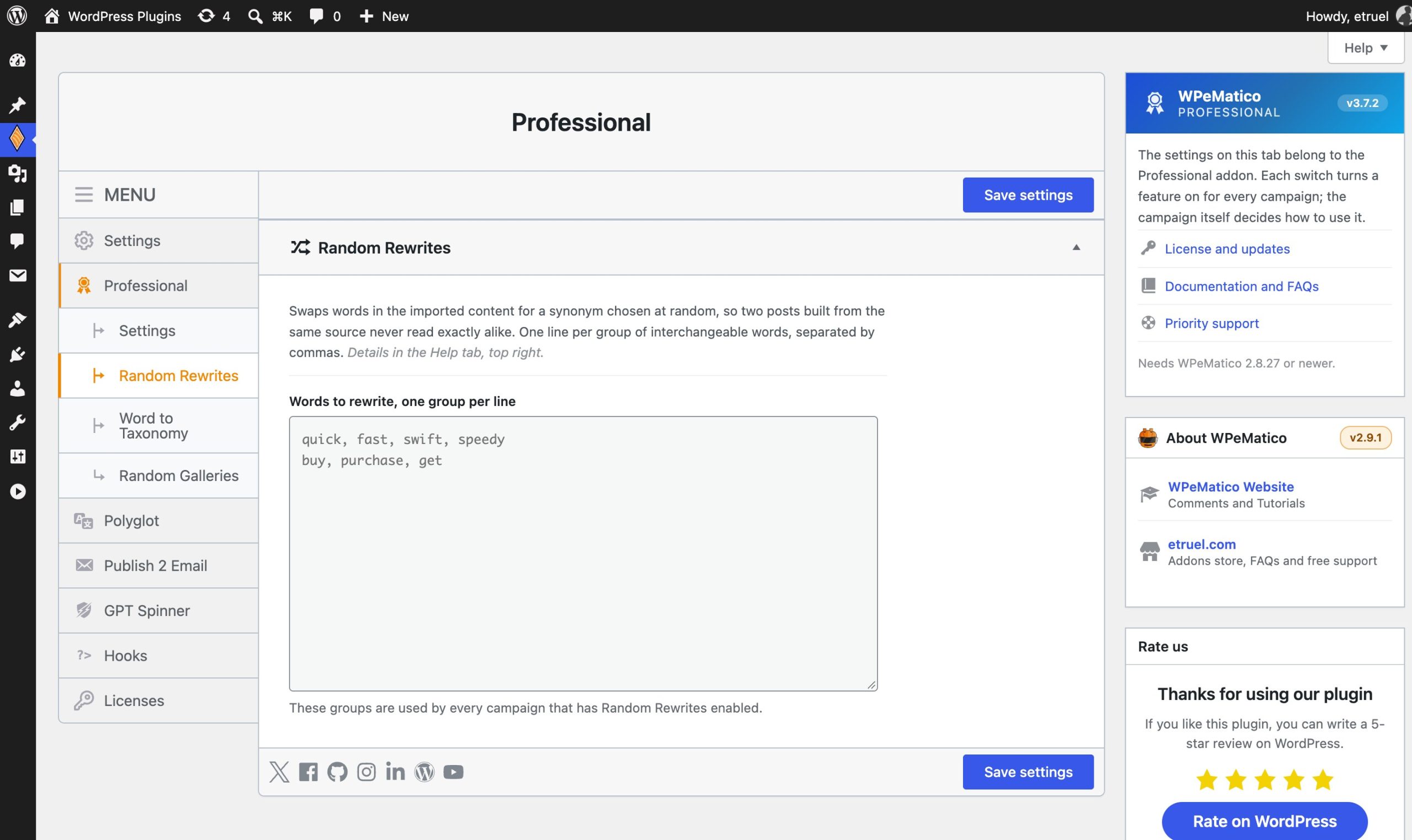
Take out what the source added for itself, and make the text your own.
Titles, tags and taxonomies
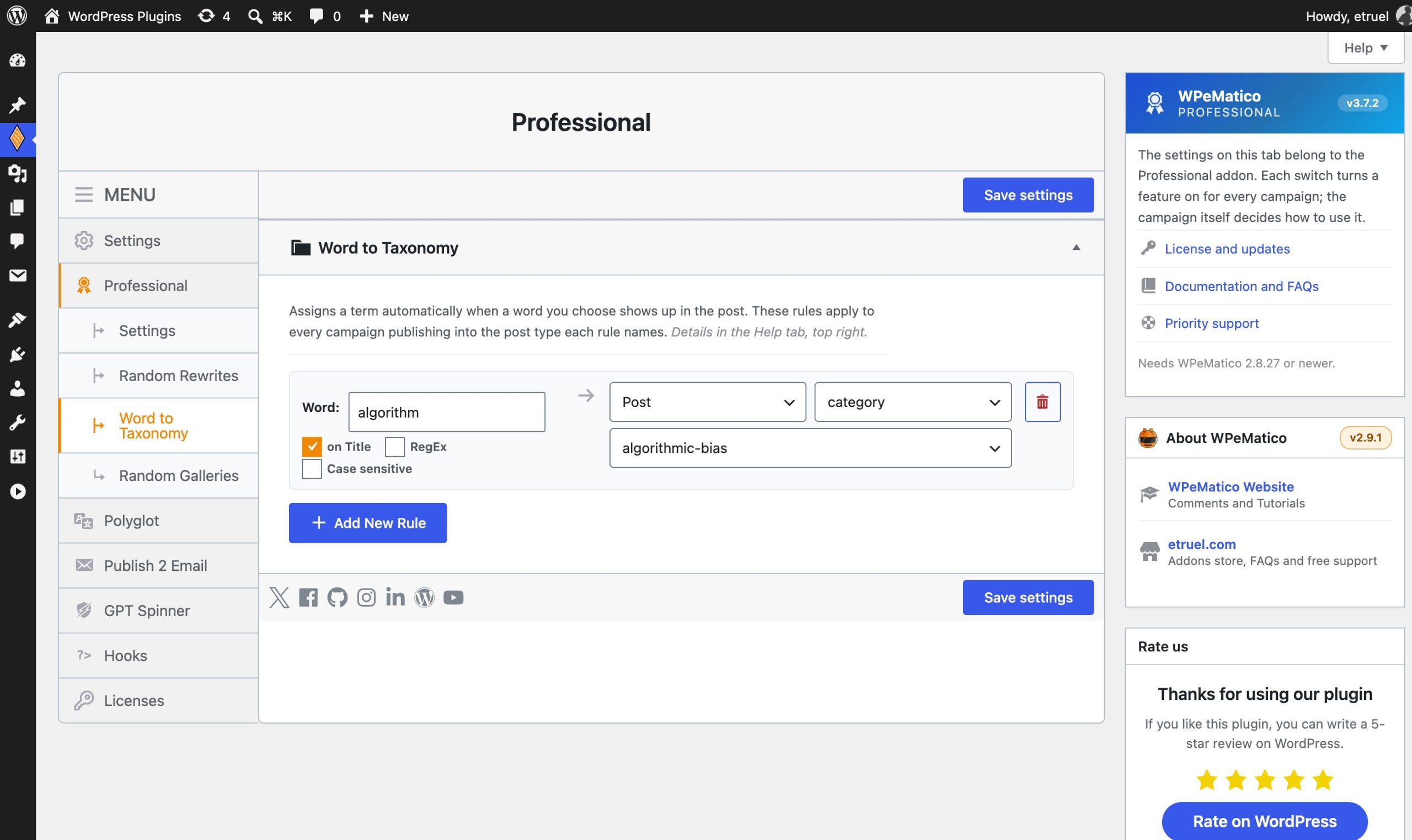
Every post filed where your readers and the search engines expect it.
Authors and custom fields
The data your theme and your SEO plugin need, filled in on the fly.
Sources and campaigns
More places to fetch from, and less work running many campaigns.
Here is what the latest releases bring:
- Google News, the original article. Each headline is looked up on the site of its publication, and the post links to the article itself.
- Vimeo campaigns through the Vimeo API. As many videos as you ask for, in the order you choose, private and unlisted ones included.
- API Keys screen. Step-by-step instructions and a button that tests the token before you save it.
- Categories to Tags is now part of Professional, chosen per campaign.
- Automatic tags read Chinese, Japanese, Korean and Thai. Nothing to configure.
- A Help tab on every Professional screen, with the format, worked examples and the things worth knowing.
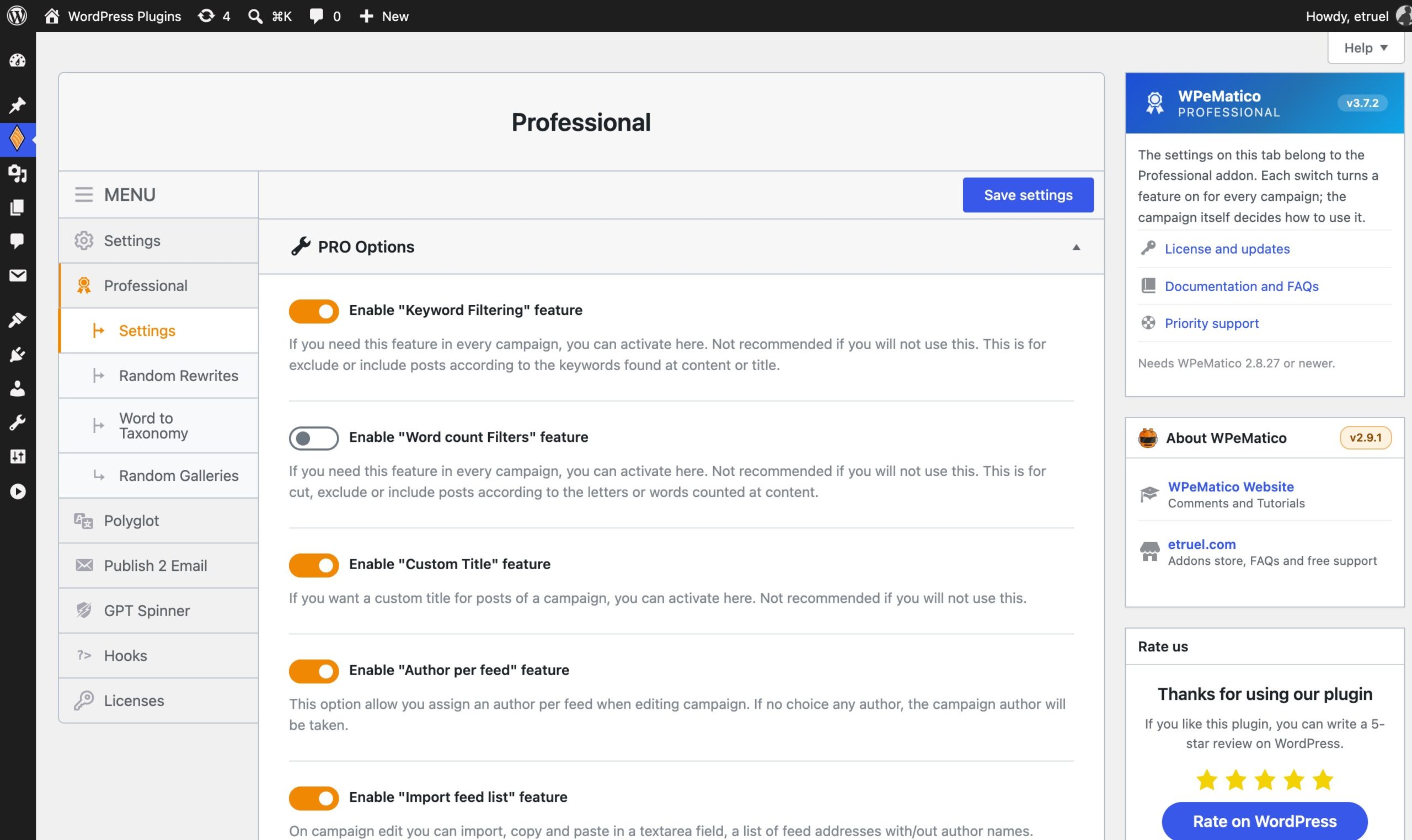
- Dressed for WPeMatico 2.9, with a settings screen of one switch per feature: what you turn off is off everywhere.
- 17 languages. Japanese, Brazilian Portuguese, Italian, Polish, Turkish and Vietnamese join the list.
The full list of changes is in the Changelog, under Download Details.
WPeMatico Professional works alongside every other WPeMatico addon. Pair it with Full Content to fetch the complete article from the source site, then filter it, trim it and brand it here. Add GPT Spinner and each post is also rewritten with AI before it is published.
Make every imported post look and work your way.
Choose your licenseAlso included in the WPeMatico memberships.- PHP 7.3 or higher
- WordPress 4.8 or higher
- WPeMatico FREE installed and activated (version 2.9 or higher)
Not sure yet? Install the free WPeMatico plugin and run a test campaign first, then add Professional when you are ready to take it further.
- How do I change the number of words in the post title?
- How to assign values to the Rank Math SEO fields?
- How to use Post template feature inside campaign editing?
- How does Word to Taxonomies work?
- Statuses for Free and Professional addon
- Is any spinner service integrated?
- WPeMatico Professional & XML Campaign Type
- How can import a list of feeds into a campaign?
- How to use the Full Content source metatags?
- How to use Author Filtering?
- For testing purposes or if you have doubts.
- Once you bought you have access to download the plugin, then the money IS NOT refundable.
- Read Refunds and other policies at our Terms and Conditions.
- You're not paying for technical support or the program itself.
- You will have access to updates for an year for single site license. Yearly renewal until cancelled.
- You can see all features that you are buying at above.
- We can make some tests in your website if you need to know that works.
- You can ask any question by creating a ticket at Support Page.
- THERE IS NOT WARRANTY THAT: (A) THE OPERATION OF THE SOFTWARE OR HARDWARE WILL BE UNINTERRUPTED OR ERROR-FREE OR THAT FUNCTIONS CONTAINED IN THE SOFTWARE WILL OPERATE IN COMBINATIONS OF SOFTWARE OR HARDWARE THAT MAY BE SELECTED FOR USE BY YOU; (B) THE SOFTWARE WILL MEET YOUR REQUIREMENTS OR EXPECTATIONS; OR (C) ANY RESULTS, OUTPUT, OR DATA PROVIDED THROUGH OR GENERATED BY THE SOFTWARE WILL BE ACCURATE, UP-TO-DATE, COMPLETE OR RELIABLE. EXCEPT AS EXPRESSLY STATED IN THIS SECTION, TO THE MAXIMUM EXTENT PERMITTED BY LAW.
- I SPECIFICALLY DISCLAIMS ALL OTHER WARRANTIES, EXPRESS OR IMPLIED, ORAL OR WRITTEN, ARISING BY LAW OR OTHERWISE, RELATING TO THIS AGREEMENT AND THE SOFTWARE AND ANY SERVICES PROVIDED TO YOU, INCLUDING WITHOUT LIMITATION, ANY IMPLIED WARRANTIES OF MERCHANTABILITY, FITNESS FOR A PARTICULAR PURPOSE, TITLE AND NONINFRINGEMENT OF THIRD PARTY RIGHTS.
- The use of use WPeMatico, the Full Content add-on, and any other products or services provided by Etruel to infringe the intellectual property rights of third parties is prohibited;
- Users may be liable for copyright infringement if they use WPeMatico, the Full Content add-on, and any other products or services provided by Etruel to copy, reproduce, or republish content for which they do not have a valid license.
- IN NO EVENT, I OR THE SOFTWARE WILL BE LIABLE FOR ANY INDIRECT, SPECIAL, INCIDENTAL OR CONSEQUENTIAL DAMAGES, HOWEVER CAUSED, WHETHER FOR BREACH OF CONTRACT, NEGLIGENCE OR OTHERWISE, AND REGARDLESS OF WHETHER HAS BEEN ADVISED OF THE POSSIBILITY OF THOSE DAMAGES, INCLUDING WITHOUT LIMITATION, THE USE OR INABILITY TO USE THE SOFTWARE, OR ANY RESULTS OBTAINED FROM OR THROUGH THE SOFTWARE.