

After enabling this option, you will be able to import, copy and paste a list of feed addresses, with or without author.
In the campaign editor, you will find the section “Feeds for this Campaign”, which will have a new button, “Import feed list” next to “Check all feeds”.

If you click on this new button, a text field will appear where you can type or paste a list of URLs and authors. The list must have one feed URL per line, and you can also add an author username if the feature “Author per Feed” is enabled in PRO Settings. If they do not exist, the users will be added to the WordPress users. Otherwise, it will use the campaign author.
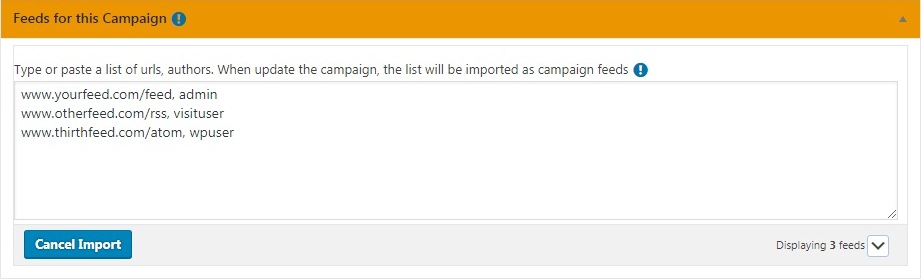
After you have imported your feed list, when you update the campaign, the list will be imported as feeds for that campaign.