

This tutorial explains how to use the Strip HTML Tags From Title option of WPeMatico Professional to remove any HTML tag that comes inside the titles of the feed items before they are published as posts.
Some feeds wrap their titles in tags such as <b>, <span> or <a>, which end up displayed as raw code in your post titles and wherever your theme shows them. With this option enabled, WPeMatico cleans every title automatically while the campaign runs, so you never have to edit the posts by hand.
Note: This feature is part of the WPeMatico Professional addon. It requires the addon to be installed and active.
Go to WPeMatico → Settings → Professional and locate the PRO Options box.
Turn on Enable “Custom Title” feature and click Save settings.
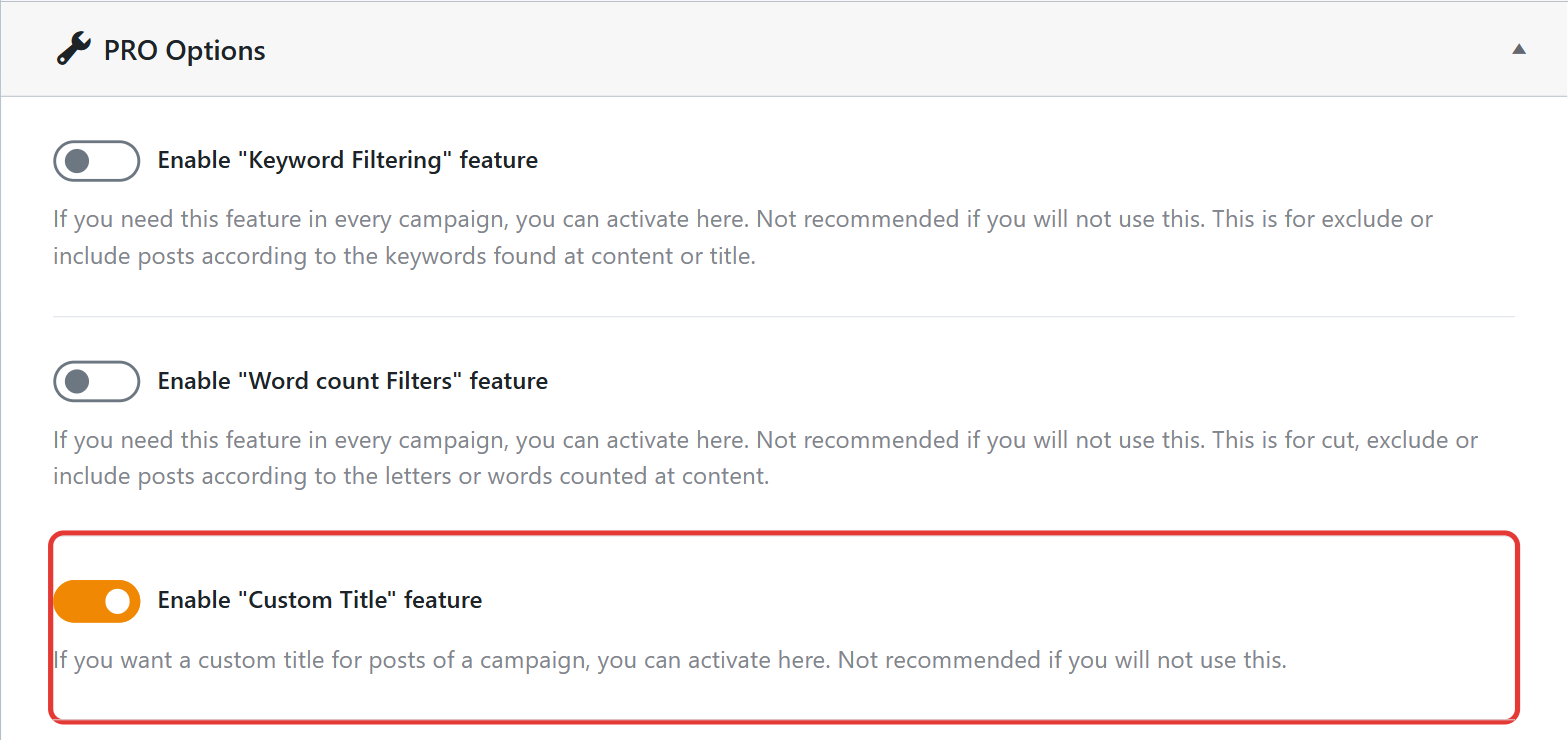
This only makes the feature available and adds the Custom Title Options box to the campaign editor. Nothing changes in your campaigns until you enable the option in each one of them.
Edit the campaign and find the Custom Title Options box.
Check Strip HTML Tags From Title and save the campaign.
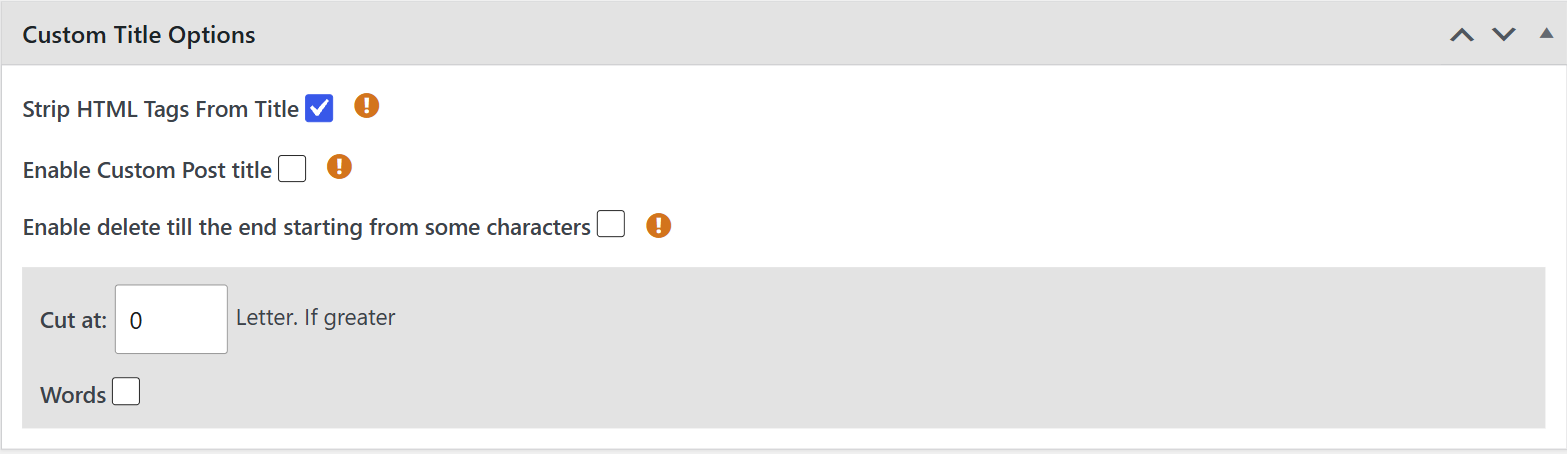
From now on, every time the campaign runs, WPeMatico checks the title of each new item and removes any HTML tag it finds before creating the post. The text inside the tags is kept; only the tags themselves are removed.
Note: The option only affects the items fetched after you enable it. Posts that were already published keep their current titles.
- Enable Custom Post title — Write a title template for every post using the
{title}and{counter}tags, for exampleNew Post: {title}. See How to use the Custom Title feature? - Enable delete till the end starting from some characters — Cut the title from the first occurrence of a character such as
.,?or!to the end. See How does Deletes till the end of the line work? - Cut at — Limit the title to a maximum number of letters or words. See How do I change the number of words in the post title?


