

Yes. The Better Excerpts add-on can create a short version of each post, with the length you choose, and save it as the content of the post instead of the full article.
With Better Excerpts
- Edit the campaign and, in the Better Excerpts box, check Customize better excerpts for this campaign.
- In Cut the excerpt at, set the length, and in Count that length in, choose Words or Characters.
- Choose how to cut: at the end of the last whole sentence, or exactly at that length.
- Check Save the excerpt as post content. The excerpt replaces the content of the post.
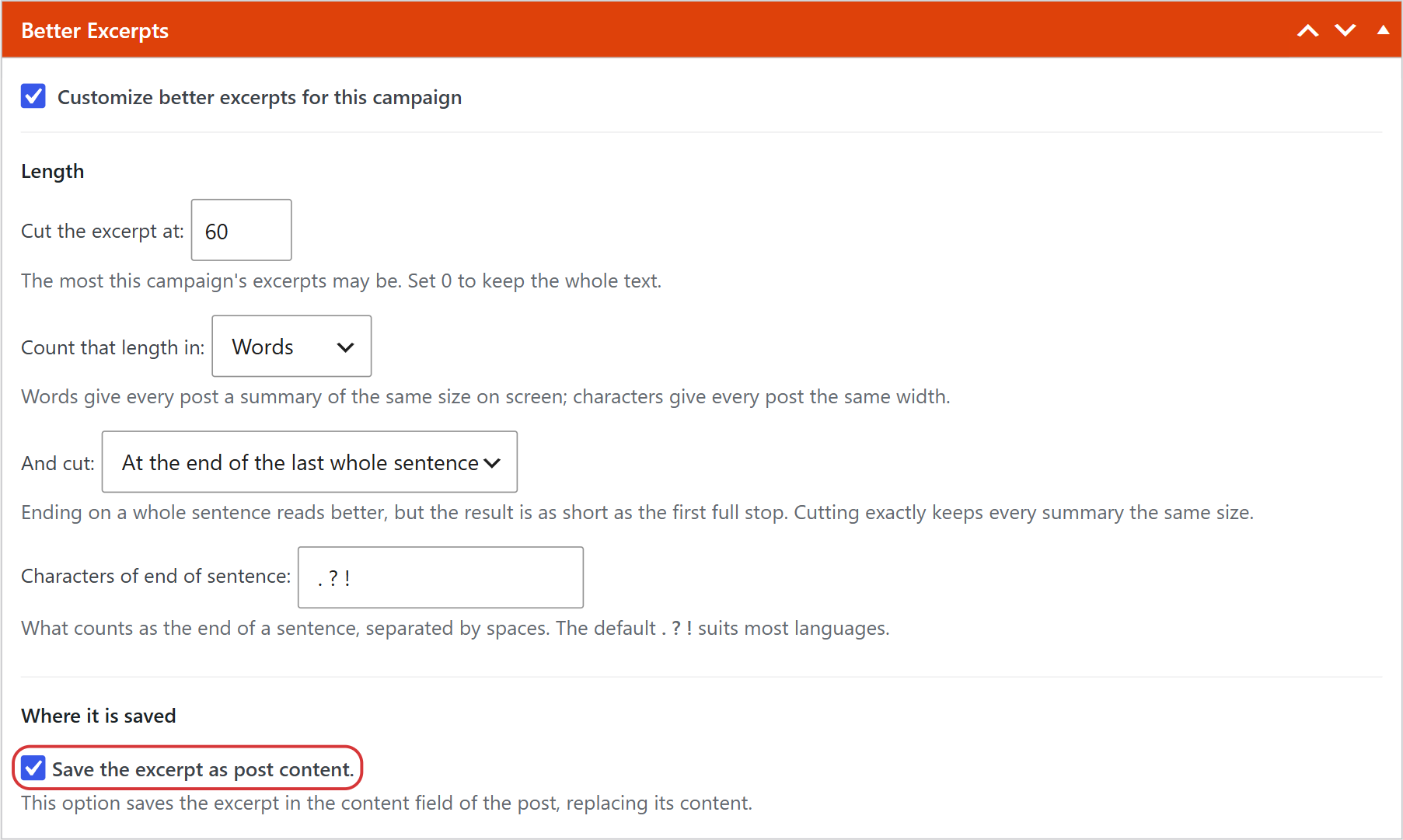
The same box lets you choose what to take out: all the HTML tags (keeping the ones you allow), the images or the links. You can also set these options for all the campaigns in WPeMatico → Settings, in the Better Excerpts tab.
With the Professional Add-on
If you prefer to keep the content with its images, links and format, but shorter, the Professional add-on has the Word Count Filters box in each campaign:
- Cut at — cuts the content at a number of letters or words when it is longer.
- Discard post if less than — skips the items that are too short.
- Greater than … To Category — assigns a category to the long posts.
Related FAQs


