

The Professional add-on includes the Custom Fields with dynamic values feature, which lets you add custom fields to every post created by a campaign, with values that are filled in automatically while the campaign runs.
In the campaign editor you can add as many custom fields as you want. Each value can be a fixed text or a variable that is replaced on the fly when the campaign runs, so you can store data such as the source permalink, the image URLs and other item data in the custom fields of the post.
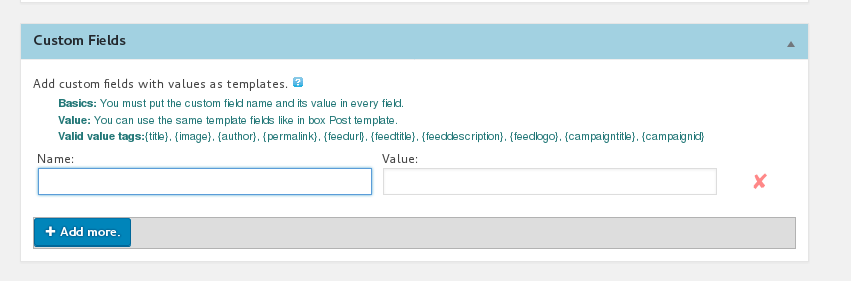
See also How to use Custom Fields?
If you need custom data that the campaign options do not provide, WPeMatico offers the WordPress filter wpem_meta_data. It receives the array of custom fields (name => value) that is about to be attached to the post, so you can add your own names and values from your theme or plugin.
add_filter('wpem_meta_data', 'my_custom_meta_data' );
function my_custom_meta_data ($currentmeta ){
$arraycf = array(
'mycf1' => $value1,
'my_cf2' => 1025
);
return array_merge($currentmeta, $arraycf) ;
}
Note: This example is provided as a starting point and has not been tested. Writing or adapting this kind of code for your site is not covered by free support; if you want us to do it for you, use the Premium Support service.


