You can renew your license key without buying a new one. When you renew, you keep the same key, so you don’t need to change anything on your sites. There are three ways to do it.
Before your license expires, we send you a reminder to the email address you used to buy it. The email has a link to our checkout page, with the product and your license key already filled in. Click it and complete the payment.
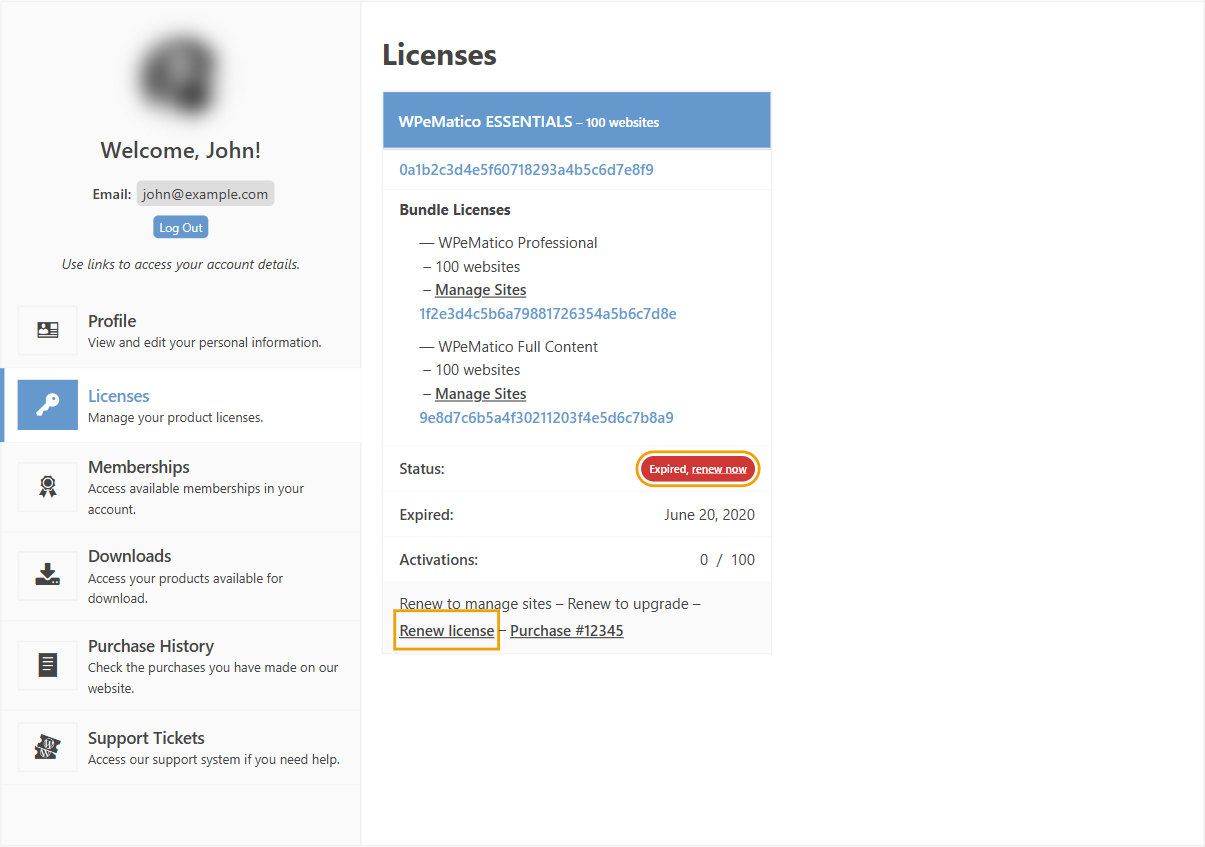
If you don’t have the email, log in to your account and click Licenses. An expired license shows Expired, renew now, and a Renew license link at the bottom. Both links take you to the checkout page with your license already filled in.
You can also renew from the checkout page, with at least one product in your cart. Click Renew An Existing License, enter your license key in Enter the license key you wish to renew and click Add Renewal to Cart.