

WPeMatico shows you which campaign created each post, both in the posts list and inside the post editor.
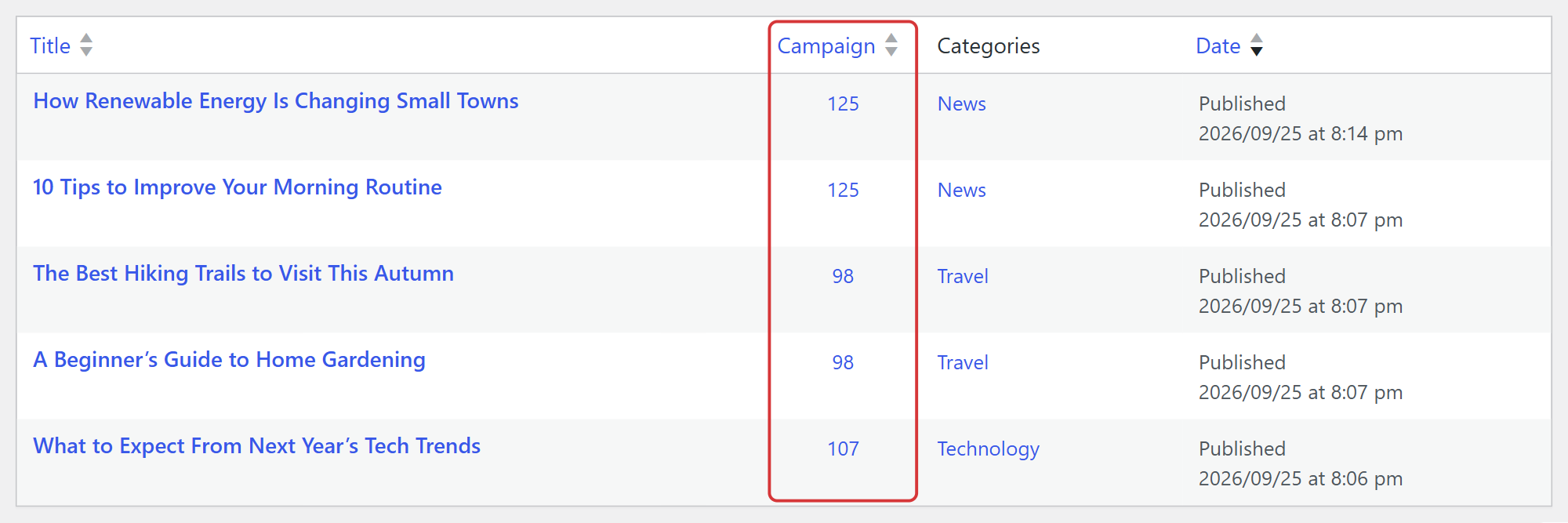
The Campaign column shows the ID of the campaign that created each post. Hover over the ID to see the name of the campaign, and click it to edit the campaign. You can also click the title of the column to sort the posts by campaign.
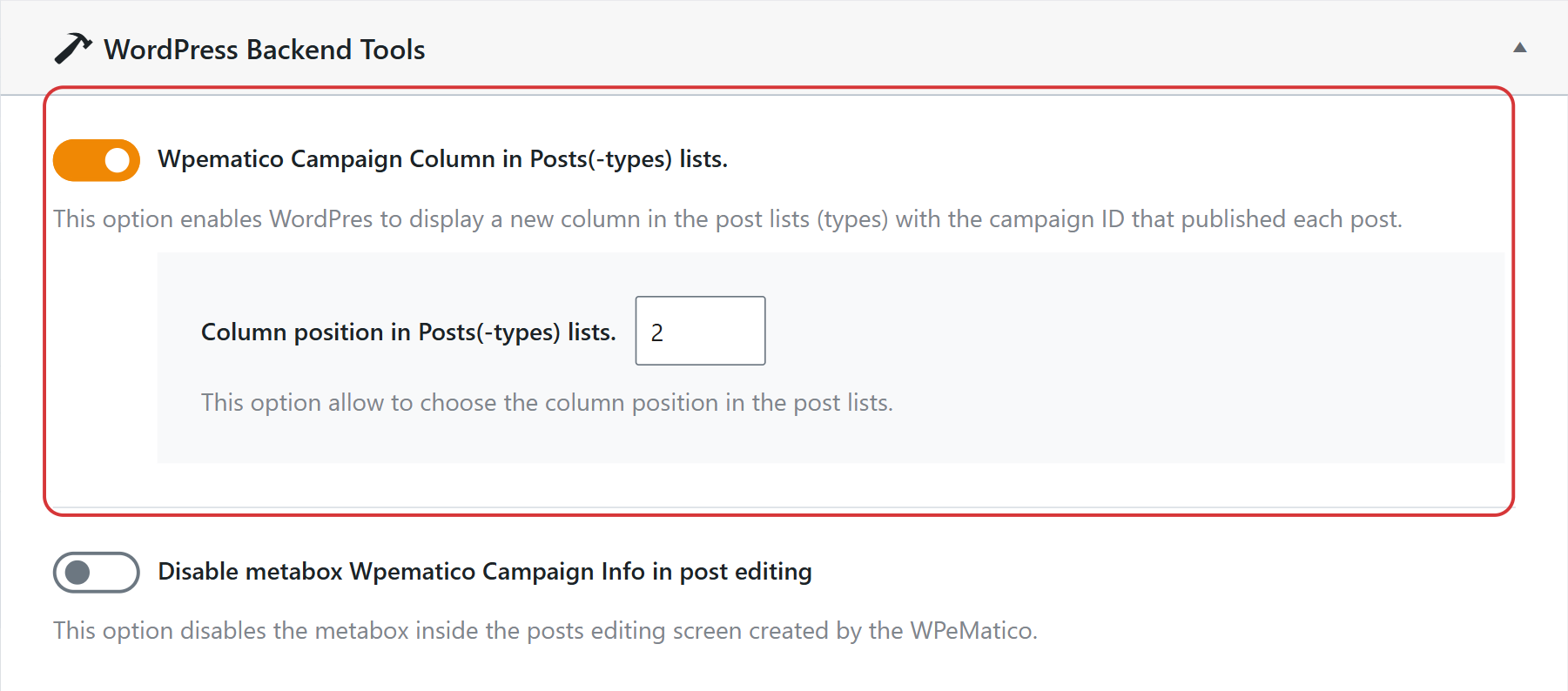
To show or hide the column, go to WPeMatico → Settings, open the Backend Tools section and, in the WordPress Backend Tools box, check Wpematico Campaign Column in Posts(-types) lists. In Column position you can choose where the column appears among the other ones. It works in the lists of posts, pages and other post types.
When you edit a post created by WPeMatico, you’ll find the WPeMatico Campaign Info box with an orange title. It shows:
- Published by Campaign — the campaign that published the post, with a link to edit it.
- From feed — the feed the item came from, linked to open it in the browser.
- Source permalink — the original article, to see it as it was published on the source site.
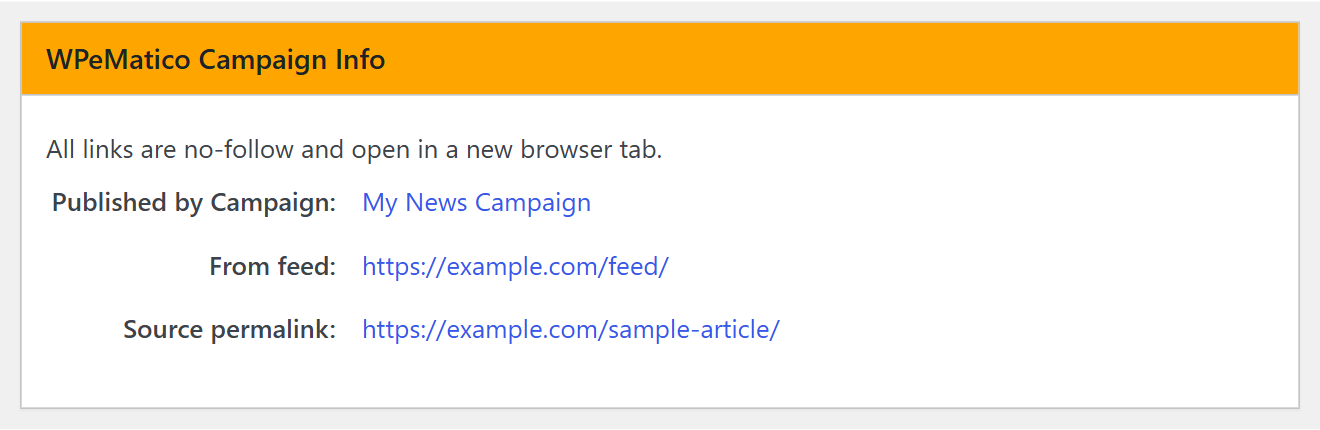
Note: All the links of the box open in a new browser tab. If you don’t need the box, you can hide it with Disable metabox Wpematico Campaign Info in post editing, in the same Backend Tools section.


