

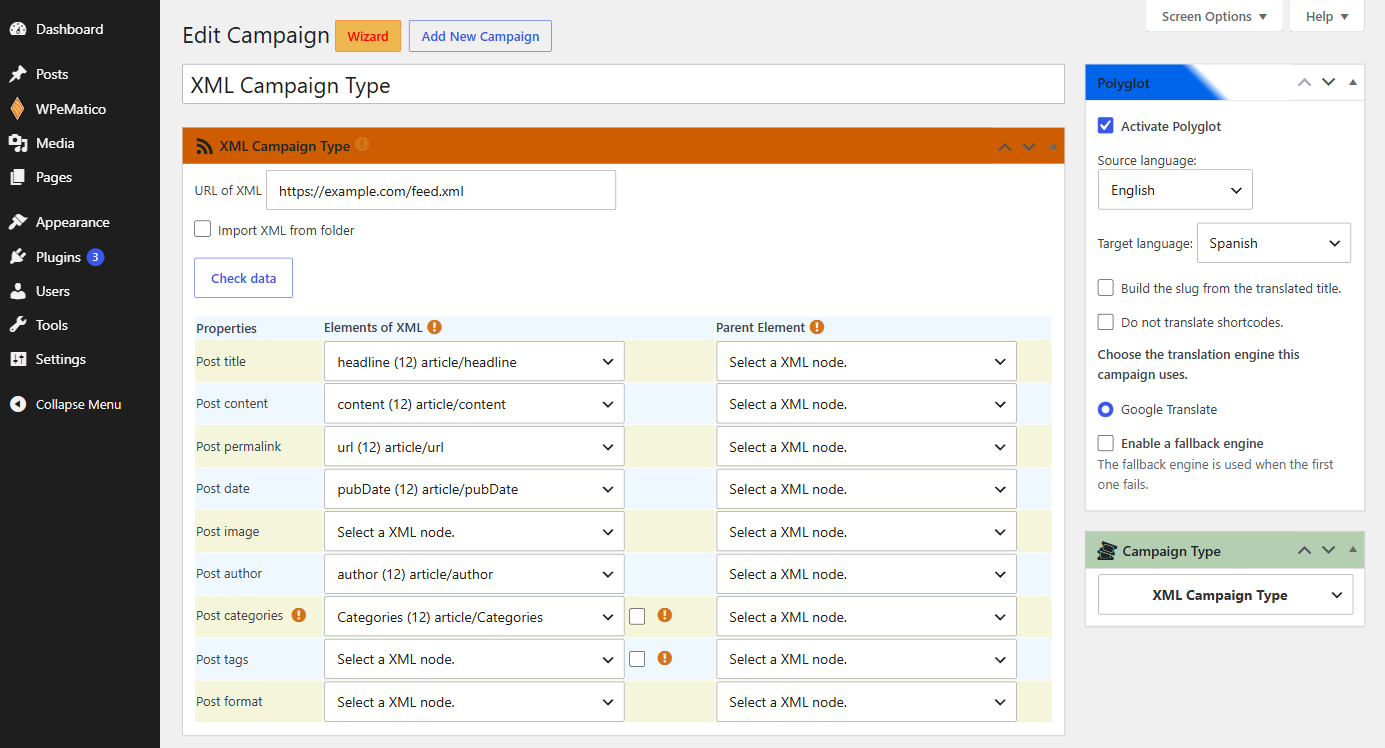
The XML Campaign Type of WPeMatico works with the add-ons like any other campaign. For example, with Polyglot you can translate the posts of an XML campaign automatically each time the campaign runs.
- Edit your XML campaign and find the Polyglot box.
- Check Activate Polyglot.
- Choose the Source language of the XML content and the Target language of your posts.
- Choose the translation engine. If you want, check Enable a fallback engine to try other engines when the first one fails.
- Optional: check Build the slug from the translated title and Do not translate shortcodes.
- Save the campaign.
Polyglot translates the post after the other add-ons process the content, so you can use it together with Professional or Full Content in the same XML campaign.
Related FAQs


