

If you enabled Post title links to source in a campaign but the titles still open the posts on your own site, one of the causes below is usually the reason. To learn how to enable the option, see How to link the post title to the source permalink?
When WPeMatico creates a post, it saves the campaign that fetched it and the URL of the original item in custom fields of the post. Every time your theme asks WordPress for the link of that post, WPeMatico checks those fields and, if the campaign has the option enabled, returns the source URL instead.
Go to WPeMatico → Settings and, in the Advanced Fetching box, make sure that Disable plugin custom fields is turned off.
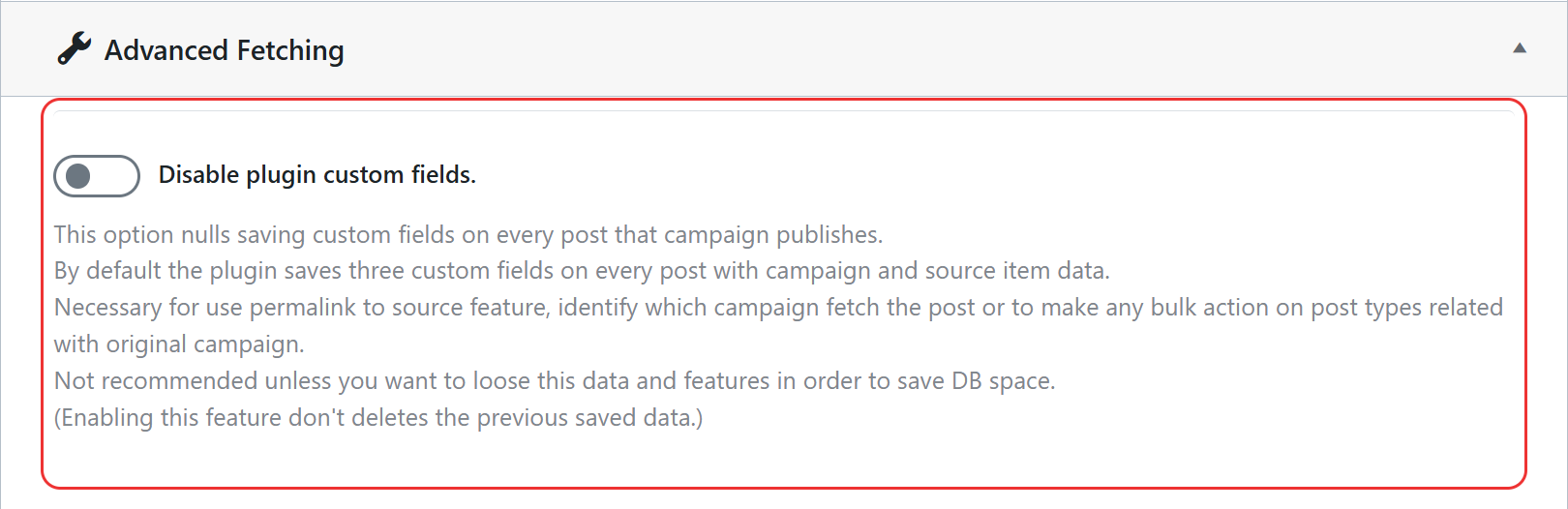
Note: Posts created while that option was enabled do not have the custom fields, so their titles keep linking to your site. Turning the option off again only affects the posts fetched from then on.
- The post was not created by that campaign: only the posts fetched by a campaign with the option enabled are affected. Posts created manually keep their normal link.
- Your theme builds the links in another way: the option works with the standard WordPress permalink functions, which almost every theme uses. If your theme or page builder writes the links by other means, they will not change.
- A cache plugin is serving old pages: clear the cache of your site after enabling the option.
Note: The Read more links change too, because they use the same permalink as the title.
See also: How can I include the original source and the author’s name in every post?


