

WPeMatico runs each campaign automatically following the schedule set in its Schedule Cron box. This schedule works like a cron job: you choose the exact times when the campaign must run, not the interval between one run and the next.
This is the most common source of confusion. For example, selecting 2 in the Hours list does not mean “every 2 hours” but “at 2 a.m.”. The examples below show how to set the most usual schedules.
Edit the campaign, find the Schedule Cron box and check Activate scheduling.
Then choose when it must run with the five lists on the right: Minutes, Hours, Days, Months and Weekday. Hold Ctrl (Cmd on a Mac) while clicking to select more than one value in the same list.
Under the checkbox you can see the resulting cron expression, next to Working as Cron job schedule, and the date and time of the Next runtime. Save the campaign to apply the changes.
Note: If Activate scheduling is not checked, the campaign only runs when you start it manually from the campaigns list.
The Preselected schedules drop-down fills in the lists for you with the most common options: every 5 minutes, every 15 minutes, once per hour, every 3, 6 or 12 hours, and every day at 3 o’clock. You can adjust any value by hand afterwards.
Note: The preset only fills in the lists. What is saved with the campaign are the values selected in the lists.
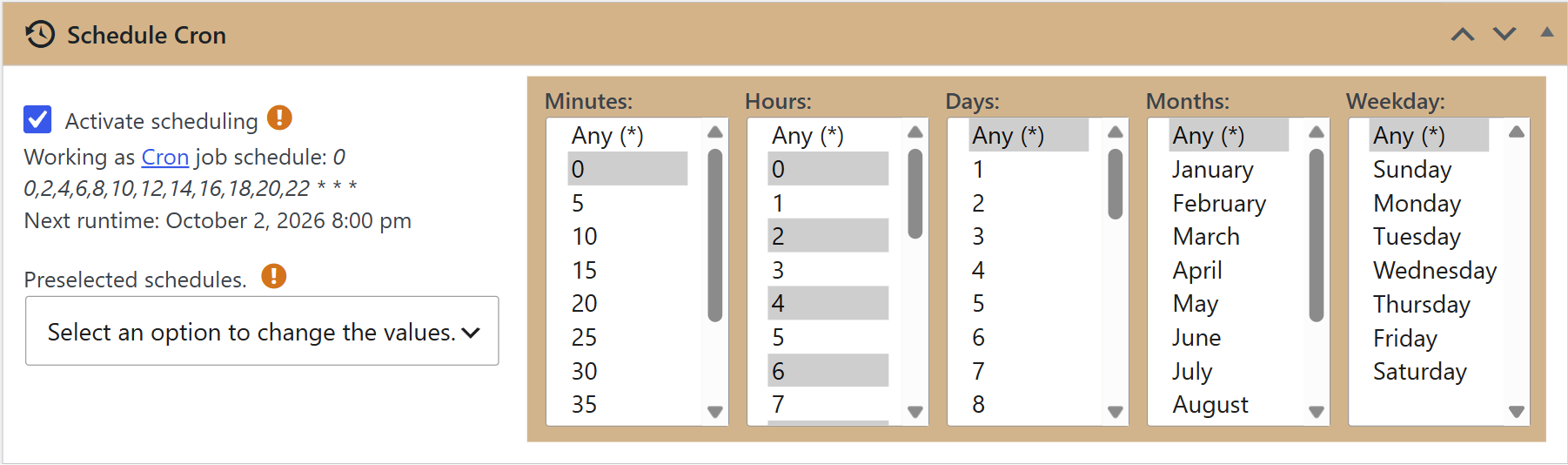
Every two hours: select 0 in Minutes and 0, 2, 4, 6… up to 22 in Hours. Leave Days, Months and Weekday on Any (*).
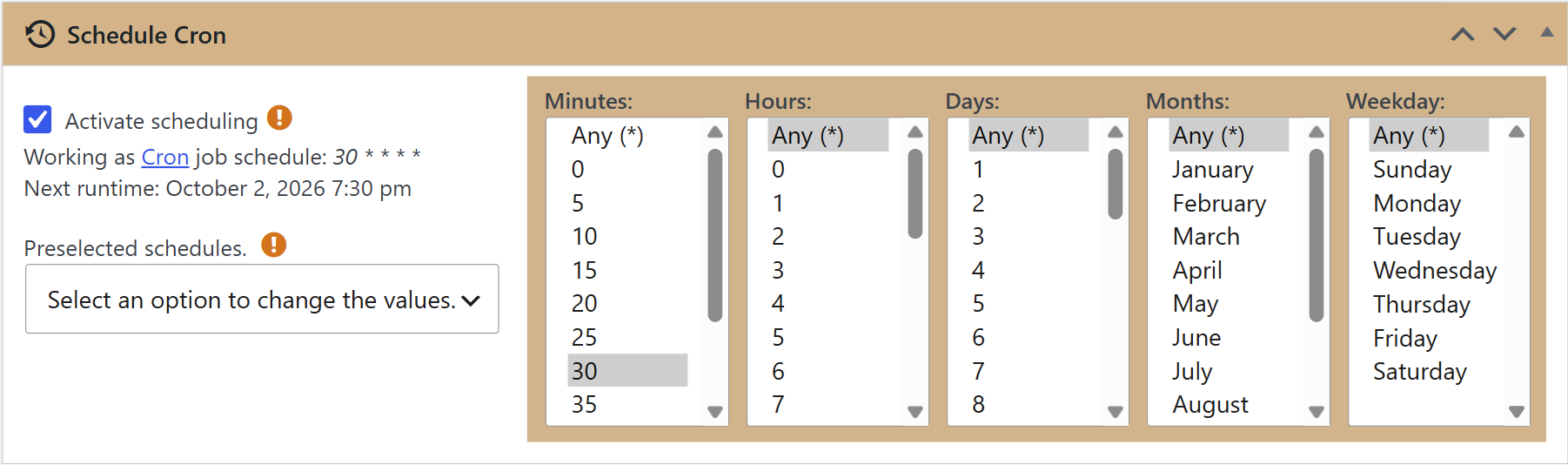
Every hour, at half past: select 30 in Minutes and Any (*) in all the other lists.
Every day at 3:00 a.m.: select 0 in Minutes and 3 in Hours, and leave the other lists on Any (*). The Every day at 3 o’clock preset does exactly this.
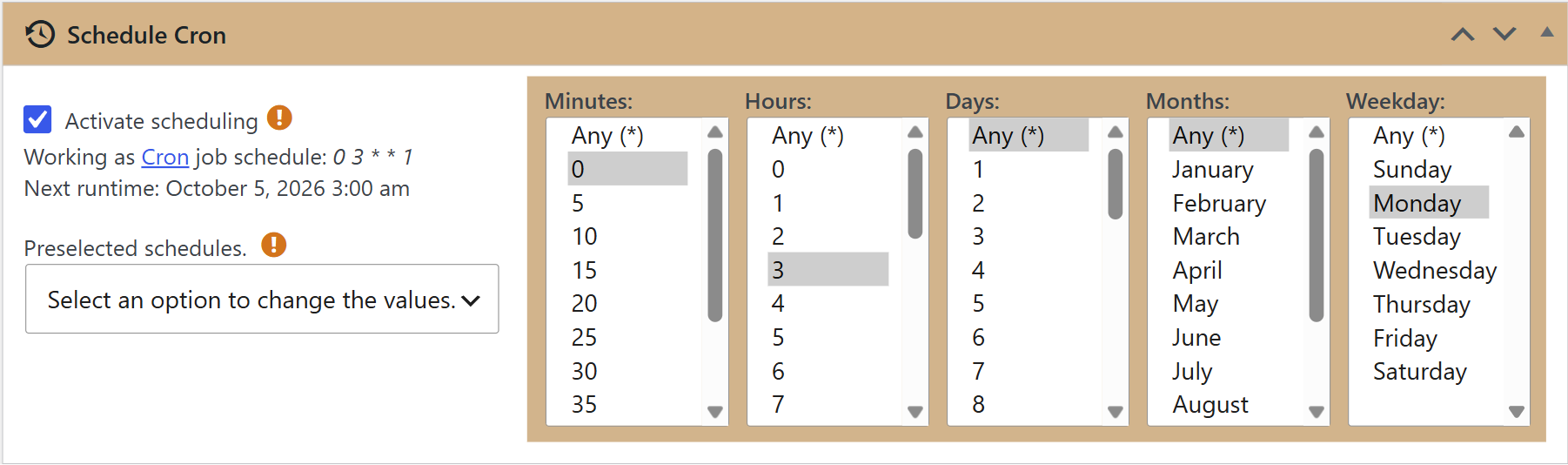
Every Monday at 3:00 a.m.: the same as the previous example, but also select Monday in Weekday.
By default, the schedules rely on WP-Cron, the WordPress task scheduler, which only runs when someone visits your site. On a site with few visits, a campaign may run later than scheduled.
For exact timing, set up an external cron job on your server and adjust the options of the Cron and Scheduler Settings box, in WPeMatico → Settings. See How to configure an external CRON from cPanel?
- The Minutes list goes in steps of 5 minutes. See Can I schedule cron lower than 5 minutes?
- Run the campaign often enough to catch the new items of the feed: when it finds an item that was already published, it stops reading. See Jump duplicate posts.


