

Licenses bought on etruel.com usually renew automatically every year, as a subscription. You can cancel the subscription at any time from your account. When you cancel it, you are not charged again.
Cancel From Your Account
- Log in to your account.
- Click Memberships in the menu.
- Below your memberships you see the list of your subscriptions. Click Cancel next to the subscription you want to cancel.
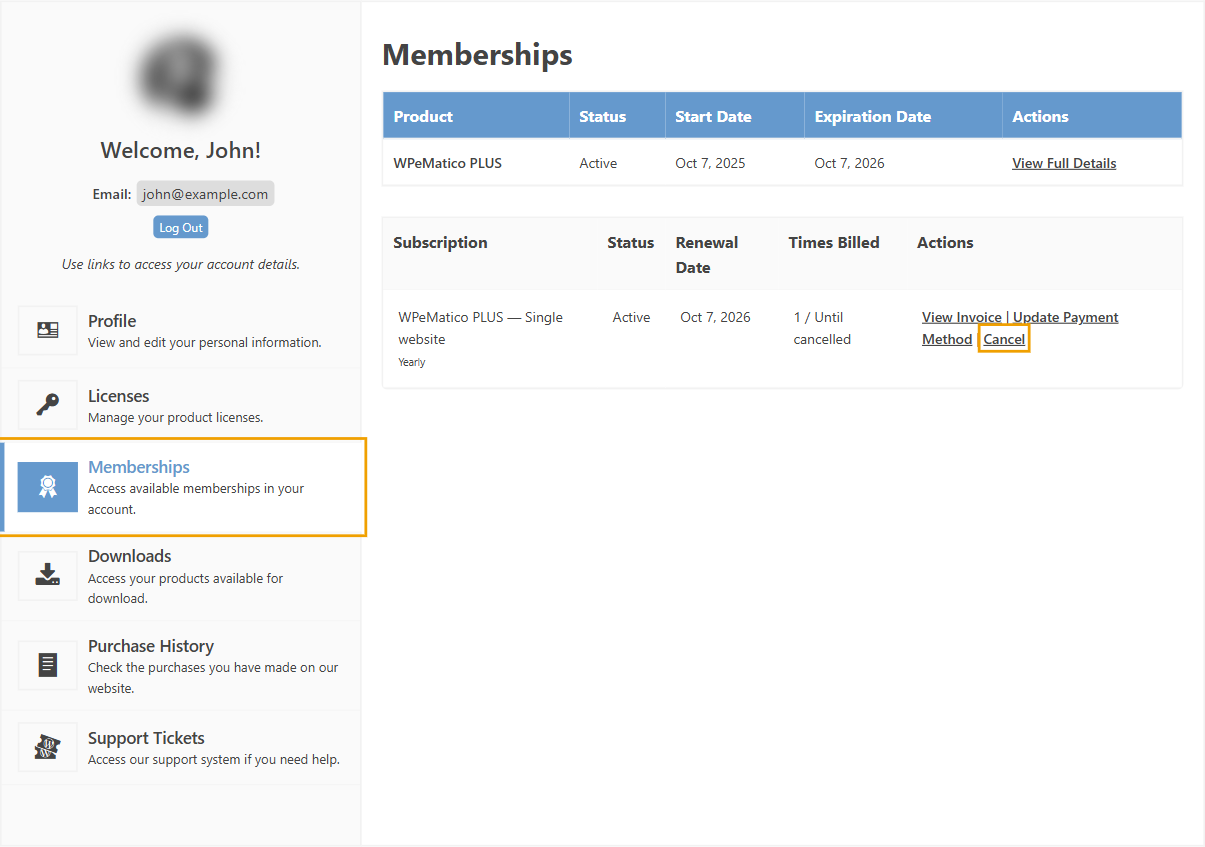
With some payment methods you can also reactivate a cancelled subscription from the same list.
Cancel From PayPal
If you paid with PayPal, you can also cancel the automatic payment from your PayPal account. The change is reflected in your etruel.com account too.
What Happens When I Cancel?
- Your license stays active until its expiration date. Cancelling doesn’t remove the time you already paid for.
- After that date, your plugins keep working, but you don’t get new updates or support. See Details of license renewal for our plugins.
- Cancel before the renewal date. Renewal payments are not refunded. See our Terms and Conditions.
Related FAQs


