

With the Professional add-on you can add many feeds to a campaign at once: instead of adding them one by one, you paste a list of feed addresses, and you can also give each feed its own author.
Go to WPeMatico → Settings, open the Professional tab and turn on Enable “Import feed list” feature and Enable “Author per feed” feature. Import feed list works together with Author per feed, so turn on both and save the settings.
Edit the campaign. In the Feeds for this Campaign box, next to Add Feed and Check all feeds, click Import feed list. The list of feeds is hidden and a text field appears. Type or paste your list there.
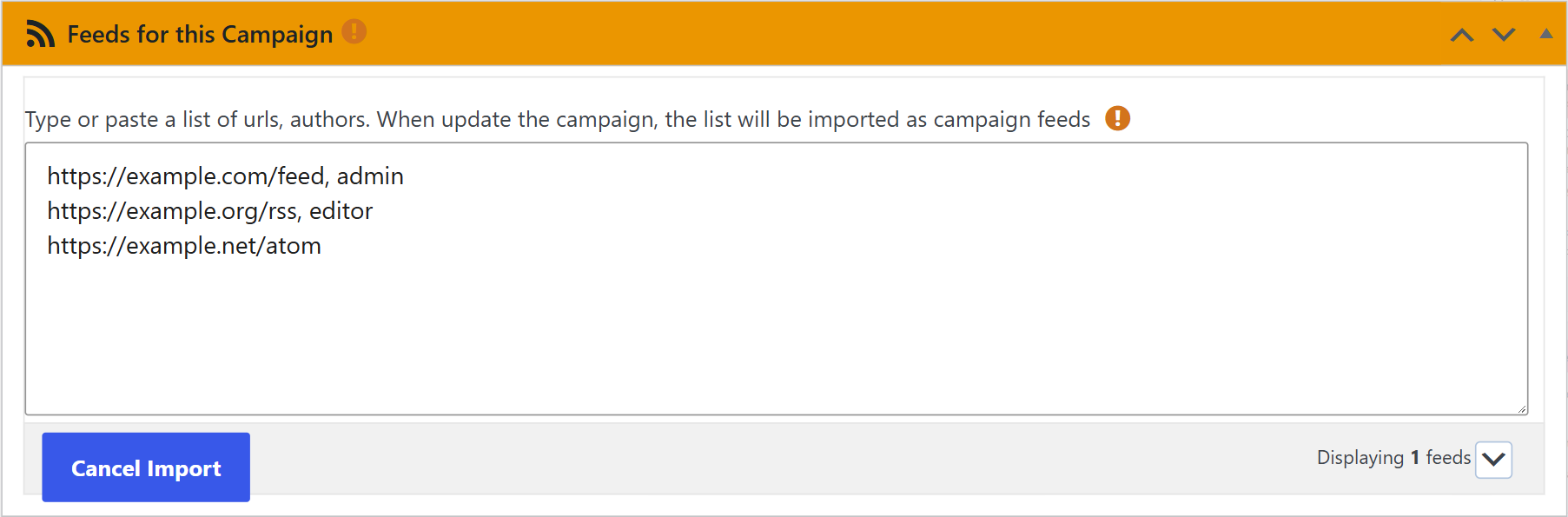
Write one feed per line. To give a feed its own author, add a comma and the WordPress username after the address:
https://example.com/feed, admin
https://example.org/rss, editor
https://example.net/atom
- If the username doesn’t exist, WPeMatico creates that user in WordPress.
- If a line has no username, that feed uses the author of the campaign.
If you change your mind, click Cancel Import to go back to the list of feeds.
Click Update (or Publish in a new campaign). The feeds of the list are added after the feeds the campaign already had; the existing ones are not removed. Then you can check them with Check all feeds and change the author of each one in the Author column.


