

The WPeMatico GPT Spinner add-on can draw a new image from the title or the content of each post and set it as its featured image, with the ChatGPT VISION API of RapidAPI. Nothing is taken from other sites, so there are no image licenses to worry about. To use it, you need an API Key of RapidAPI.
The number of requests depends on your subscription plan. According to RapidAPI, the free plans allow up to 100 requests per month.
Go to RapidAPI and sign up for a free account. You can use your email address or sign in with Google or GitHub.
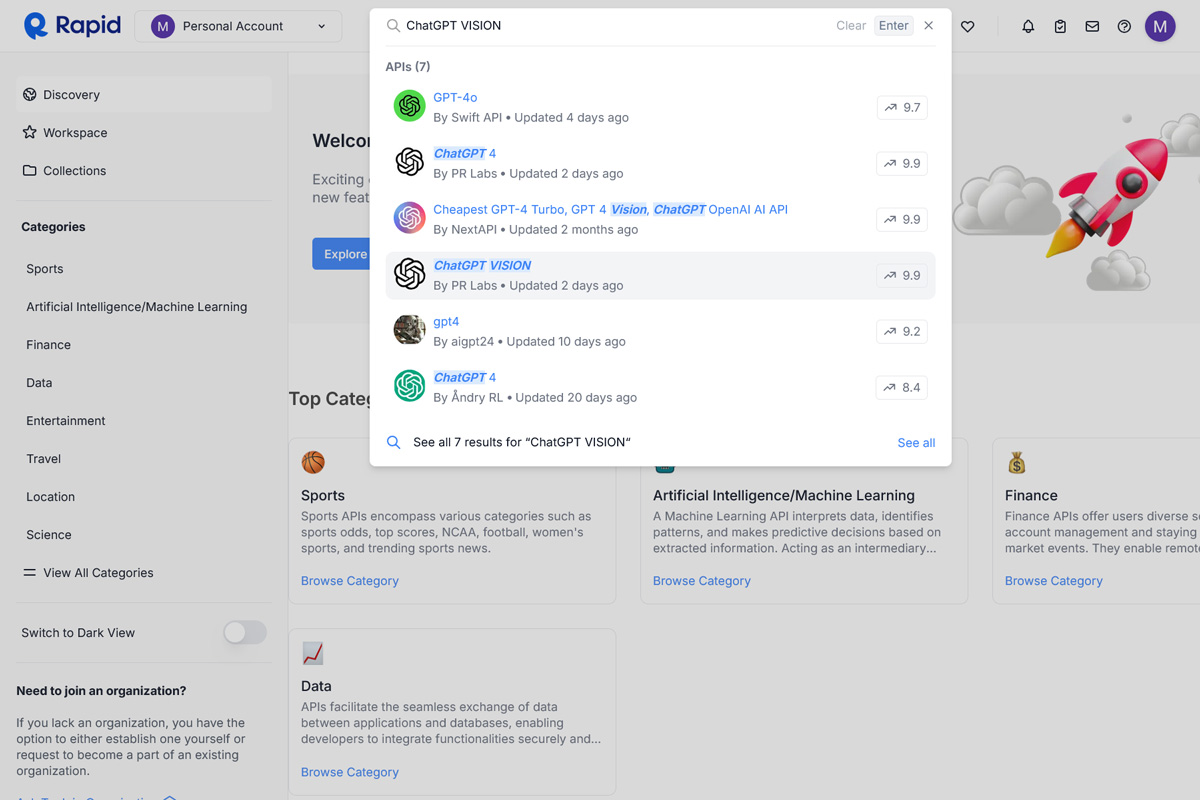
Search for ChatGPT VISION, or go directly to its page.
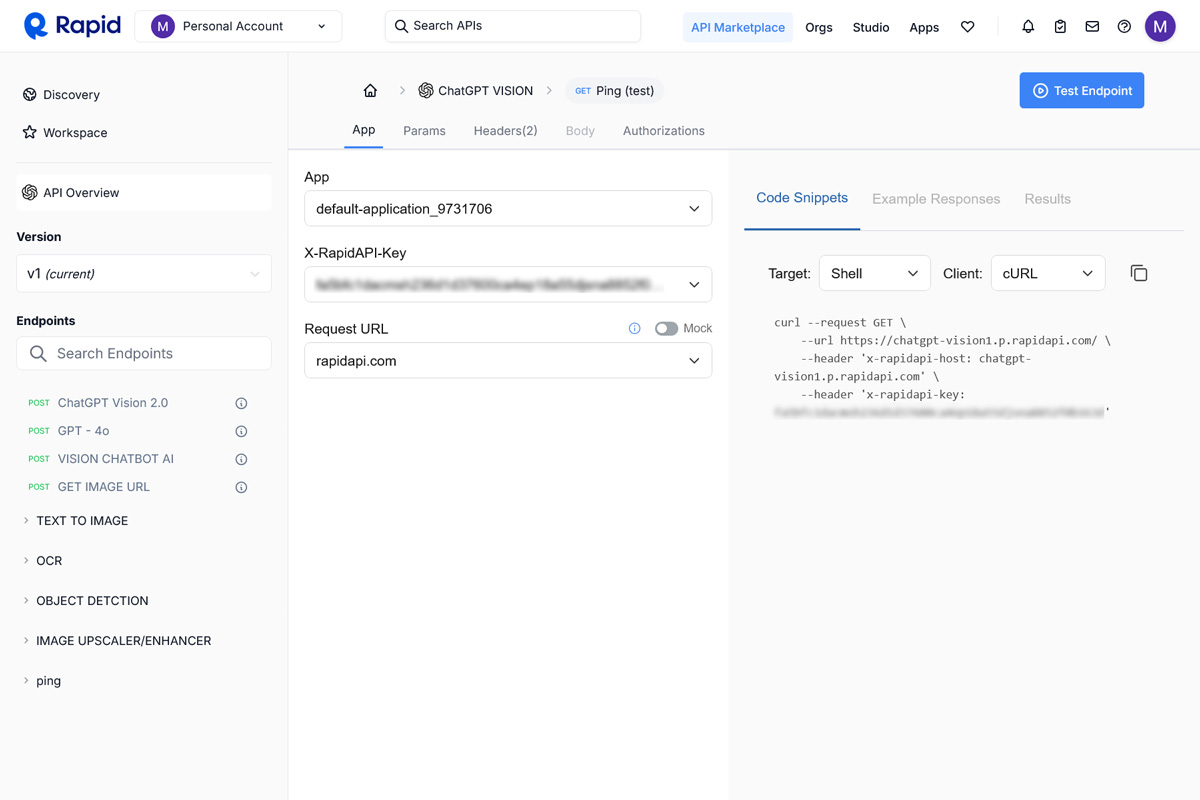
On the page of the API, open the pricing plans, choose the one that fits your needs, free or paid, and click Subscribe.
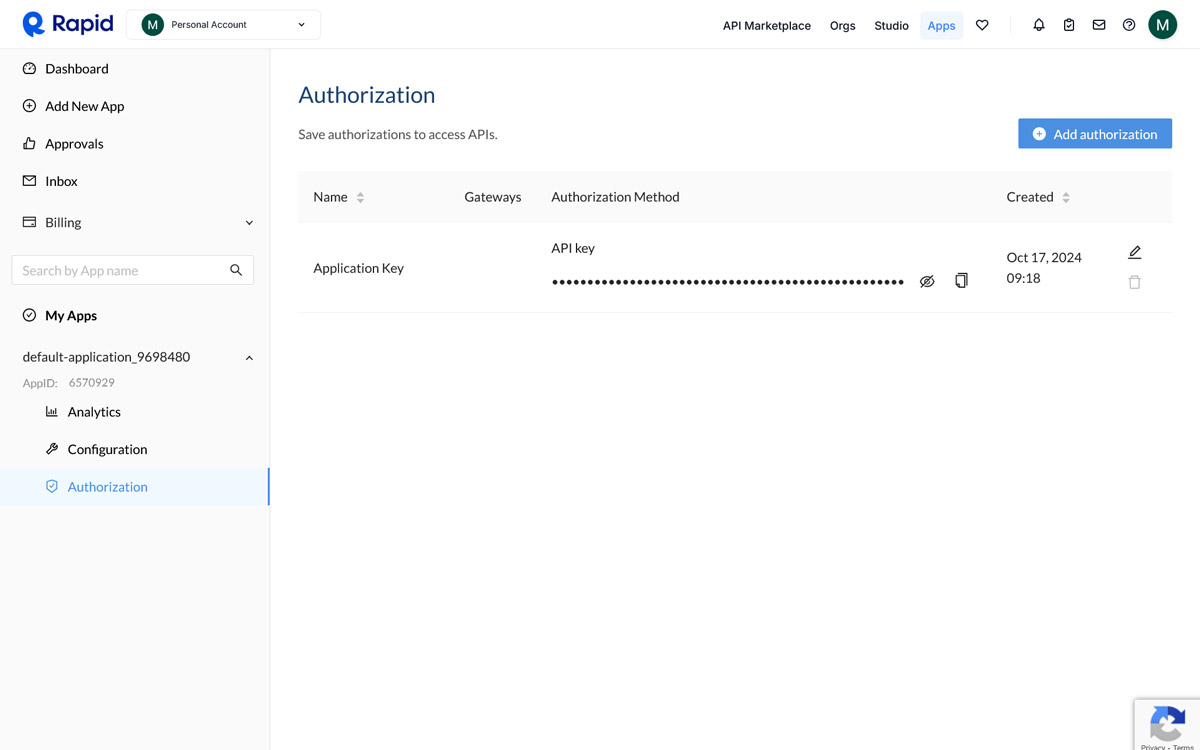
Go to the Apps tab, select your app, open Authorization and copy the API Key.
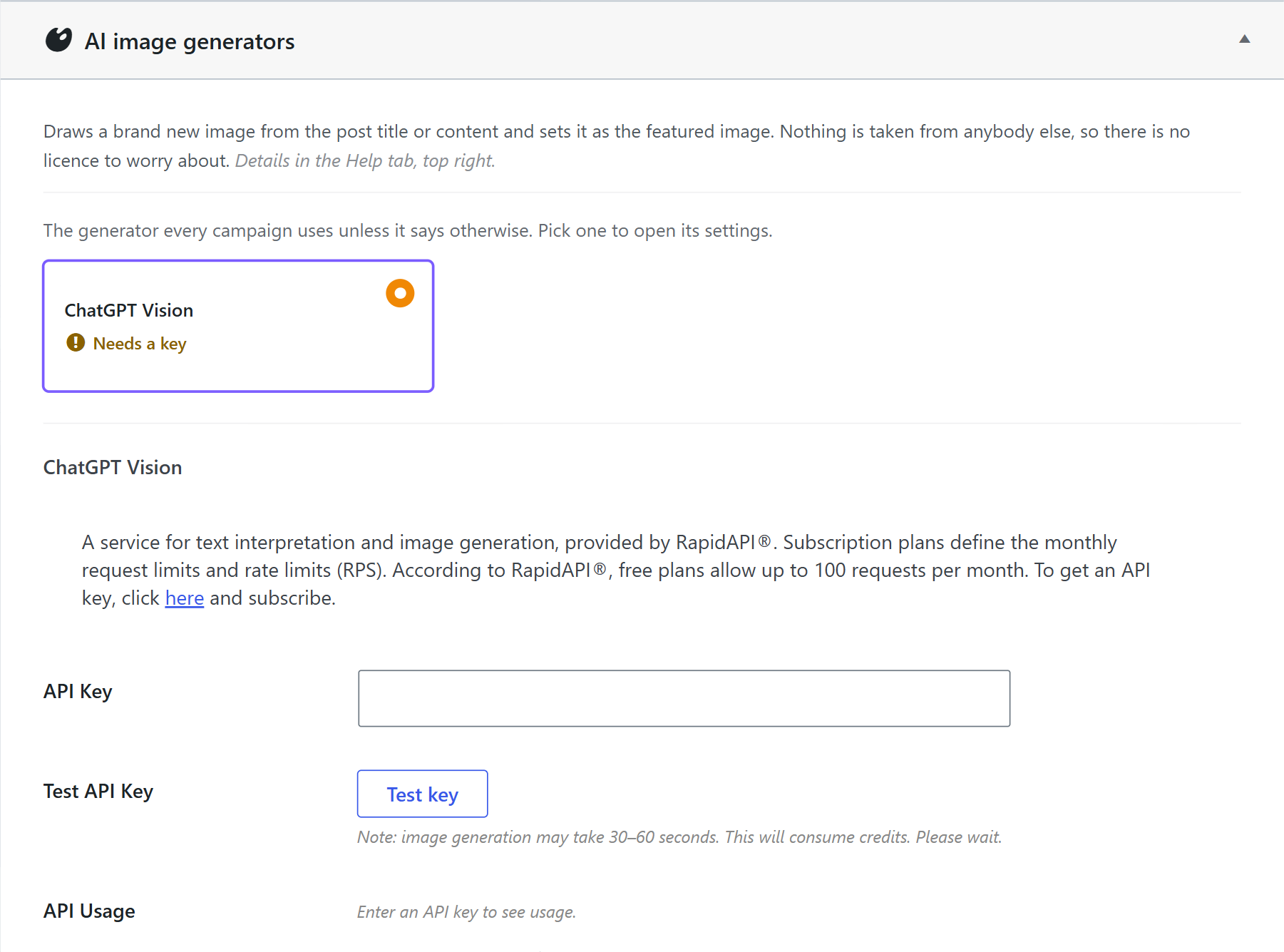
- In your WordPress dashboard, go to WPeMatico → Settings → GPT Spinner and open Create Images.
- Select ChatGPT Vision. The generator you select is the one that every campaign uses, unless the campaign says otherwise.
- Paste the key in the API Key field and click Test key. The test creates an image, so it can take 30 to 60 seconds and it uses one of your requests.
- Click Save settings.
That’s all. GPT Spinner can now create a featured image for the posts of your campaigns.
If you have problems, contact our support or read the documentation of RapidAPI:


