The items of a feed often come with their own categories. With Categories to Tags, WPeMatico assigns those categories to each post as tags, automatically, every time the campaign runs.
Note: The Cats2Tags add-on no longer exists. Its feature is now integrated into WPeMatico Professional with the name Categories to Tags. You turn it on in the settings of Professional, and then use it in your campaigns.
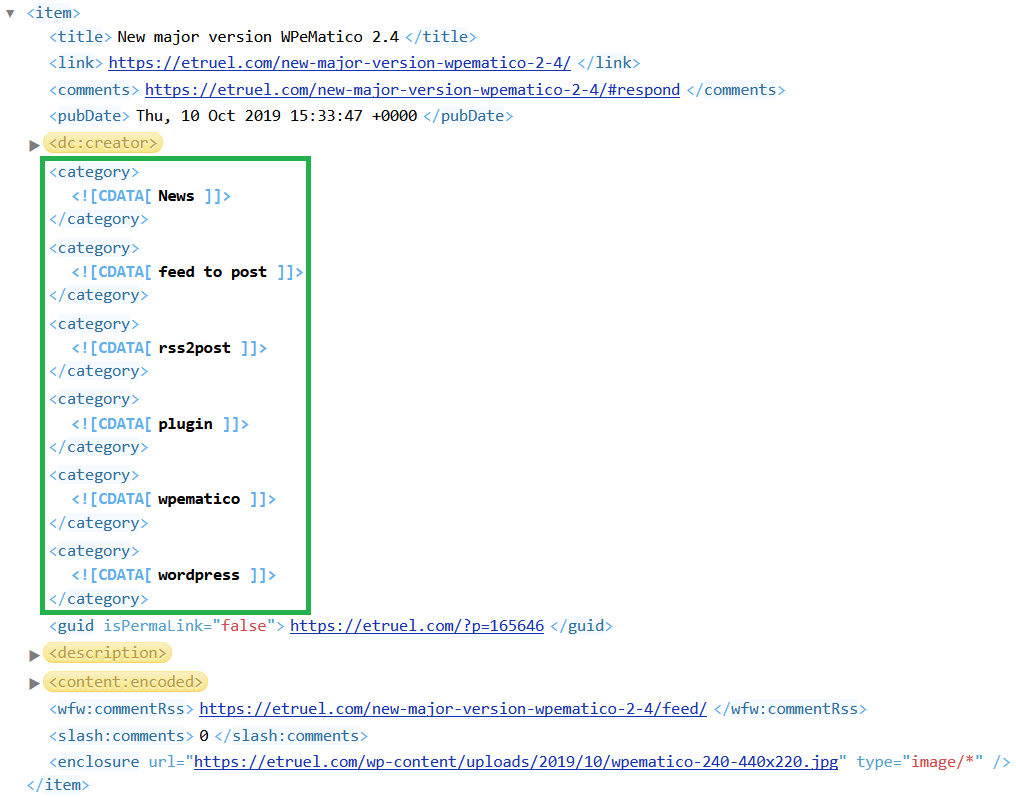
For example, this feed item has six categories: News, feed to post, rss2post, plugin, wpematico, wordpress.
The Add auto Categories option of WPeMatico puts the post in those categories. With Categories to Tags, the same words become the tags of the post, added to the tags the campaign already gets.
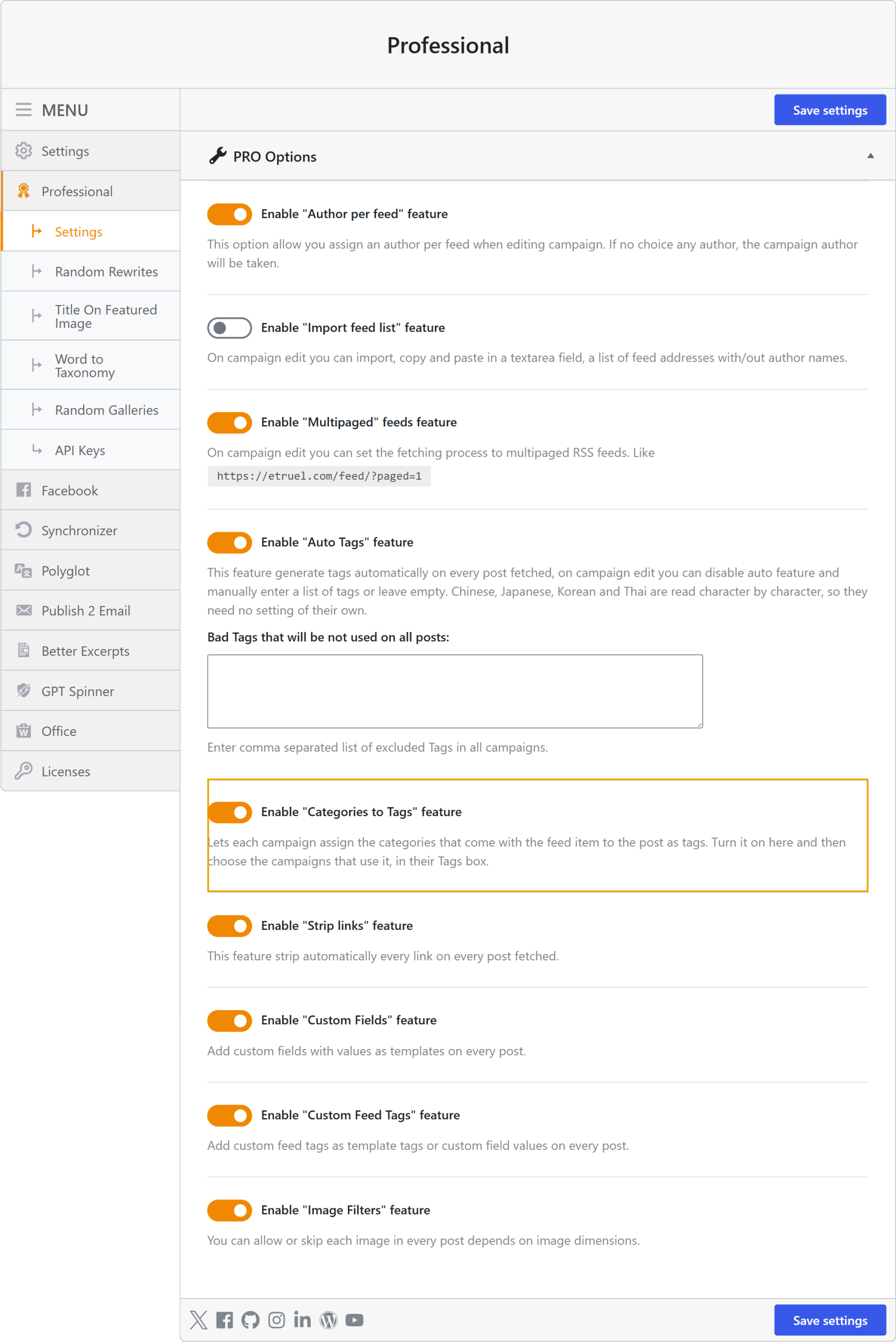
Go to WPeMatico → Settings → Professional, check Enable “Categories to Tags” feature and save the settings.
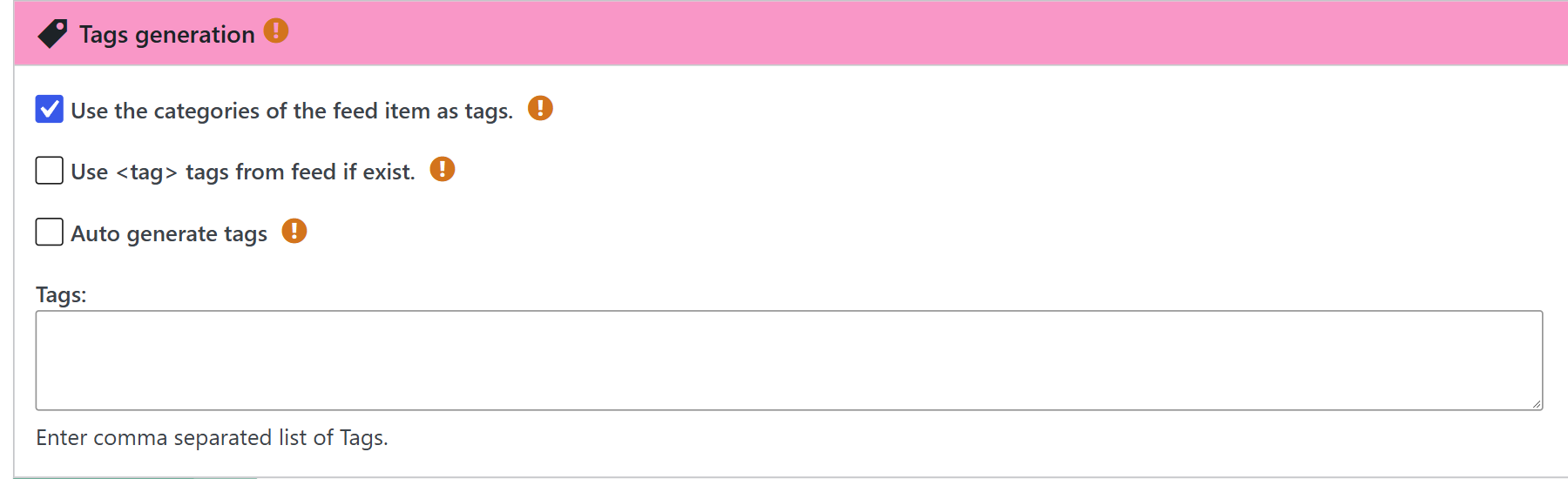
Edit each campaign that must use it and, in the Tags generation box, check Use the categories of the feed item as tags. Save the campaign. The campaigns where you leave it unchecked don’t convert anything.