

The Professional add-on can create tags for each post automatically, taking words from its content. You can limit how many tags each post gets and exclude the words you don’t want as tags.
Enable the Feature
Go to WPeMatico → Settings, open the Professional tab and turn on Enable “Auto Tags” feature. In Bad Tags that will be not used on all posts, write the words that must never be tags, separated by commas. Then save the settings.
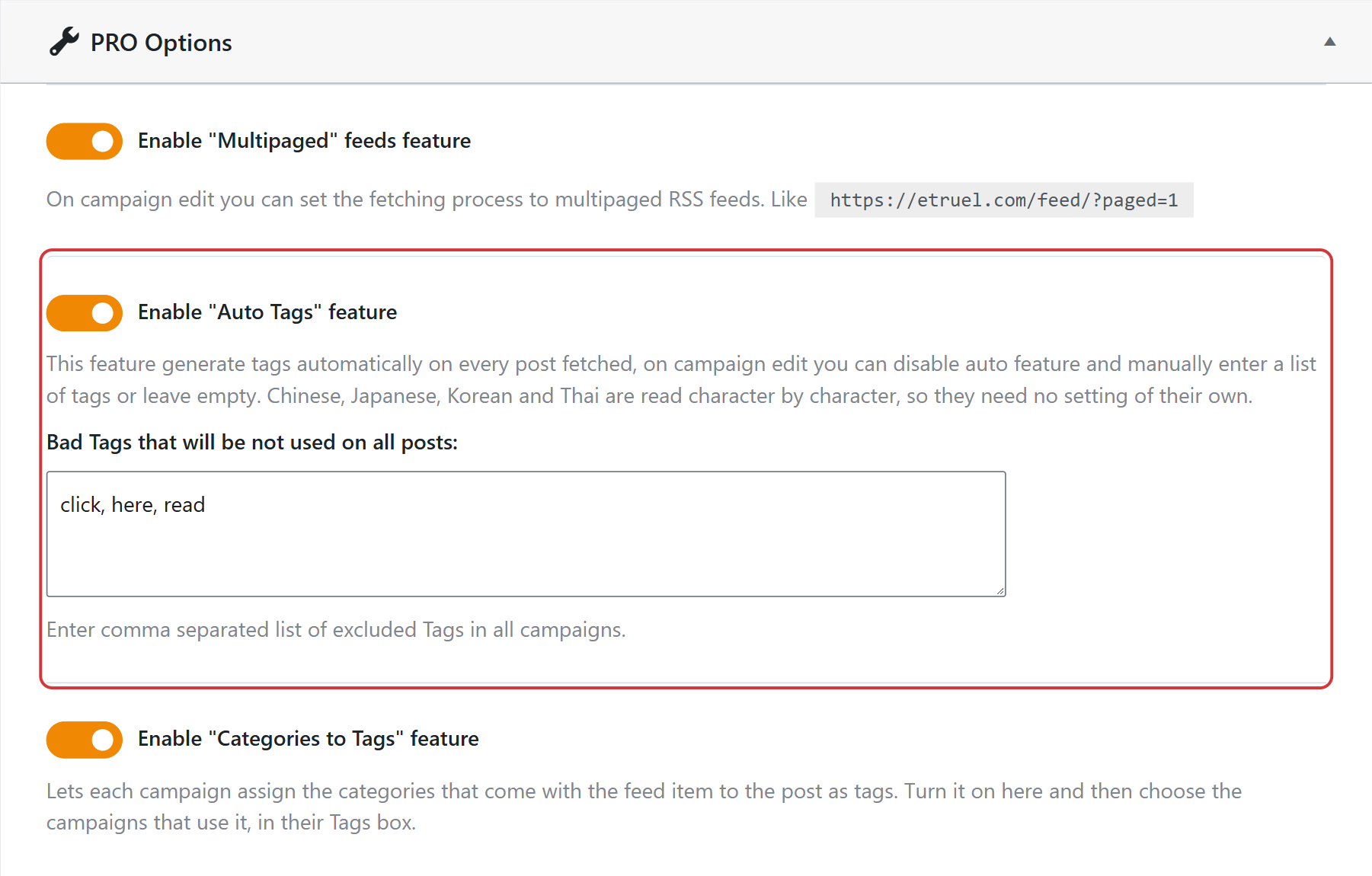
Chinese, Japanese, Korean and Thai are read character by character, so they don’t need any setting of their own.
Set the Tags in the Campaign
Edit the campaign and go to the Tags generation box:
- Auto generate tags — creates the tags from the content of each post.
- Limit tags quantity to — the maximum number of tags for each post.
- Bad Tags — more words to exclude, only in this campaign. They are added to the ones of the Settings.
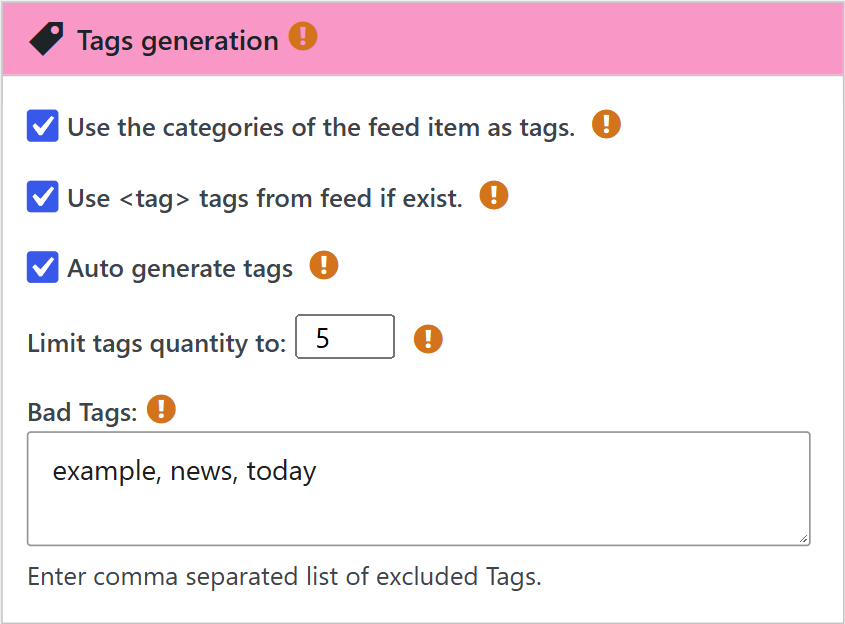
If you uncheck Auto generate tags, the Tags field appears, where you can write your own list of tags for all the posts of the campaign, or leave it empty.
Other Sources of Tags
- Use <tag> tags from feed if exist — adds the tags that come in the items of the feed.
- Use the categories of the feed item as tags — adds the categories of each item as tags. It also needs Enable “Categories to Tags” feature turned on in the Professional tab of the Settings.


