

The Use feed item date option makes WPeMatico publish each post with the original date of the feed item instead of the date and time when the post is created. If your posts keep getting the current date, it is usually because the item date did not pass the checks explained below.
Edit the campaign and, in the Options for this campaign box, check Use feed item date. Then save the campaign.
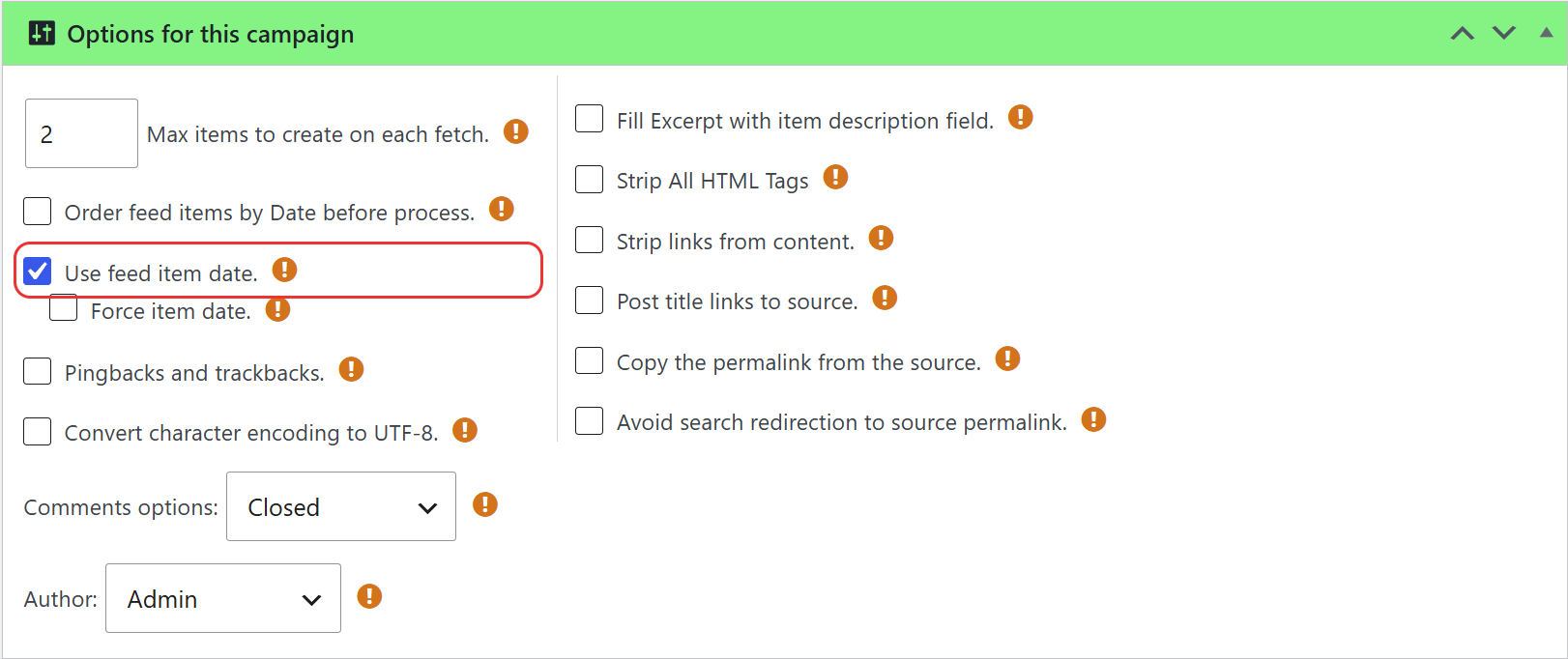
Some feeds send wrong dates, or dates that would place the new posts among your older ones. To avoid this, WPeMatico uses the feed item date only when both conditions are met:
- The item date is later than the last run of the campaign.
- The item date is not in the future.
If any of them fails, the post is published with the current date and time.
Every run, manual or scheduled, updates the last run time of the campaign. If you run it manually several times in a row, the new items it finds are usually older than the previous run, so they get the current date.
Let the campaign work on its schedule and the feed dates will be used as expected. See How to use Cron Scheduling?
If you always want the date of the feed item, also check Force item date. WPeMatico will then skip the checks above and use the item date even when it is older than the last run.
Note: With this option, an old item can be published with a date earlier than posts that are already on your site, so it may not appear at the top of your blog.
- If the feed does not list its items from newest to oldest, check Order feed items by Date before process in the same box.
- Some feeds put the publication date in a different tag. The WPeMatico Professional addon adds the Get Date from xml tag option to read it from the tag you choose.


