

The AI Etruel Rewriter API is the text rewriting service made by etruel for WPeMatico GPT Spinner. It turns the content of your campaigns into unique articles, with the best integration and dedicated support. It works with credits tied to your license: each credit is one rewriting request.
Go to the AI Etruel Rewriter API page and choose the license with the number of credits you need.
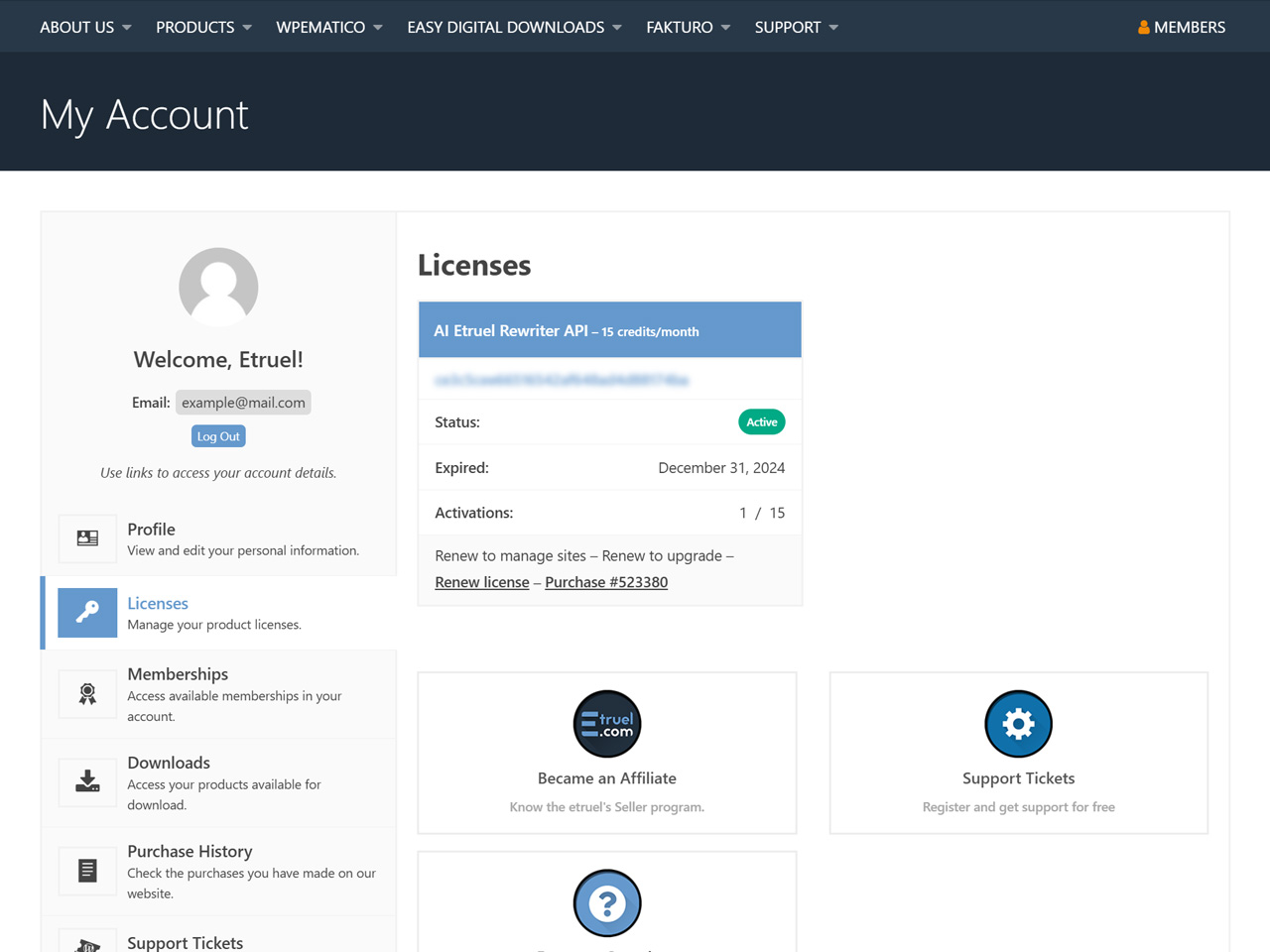
After the purchase, your license key is in your account dashboard. Copy it.
- In your WordPress dashboard, go to WPeMatico → Settings → GPT Spinner and open Rewrite Text.
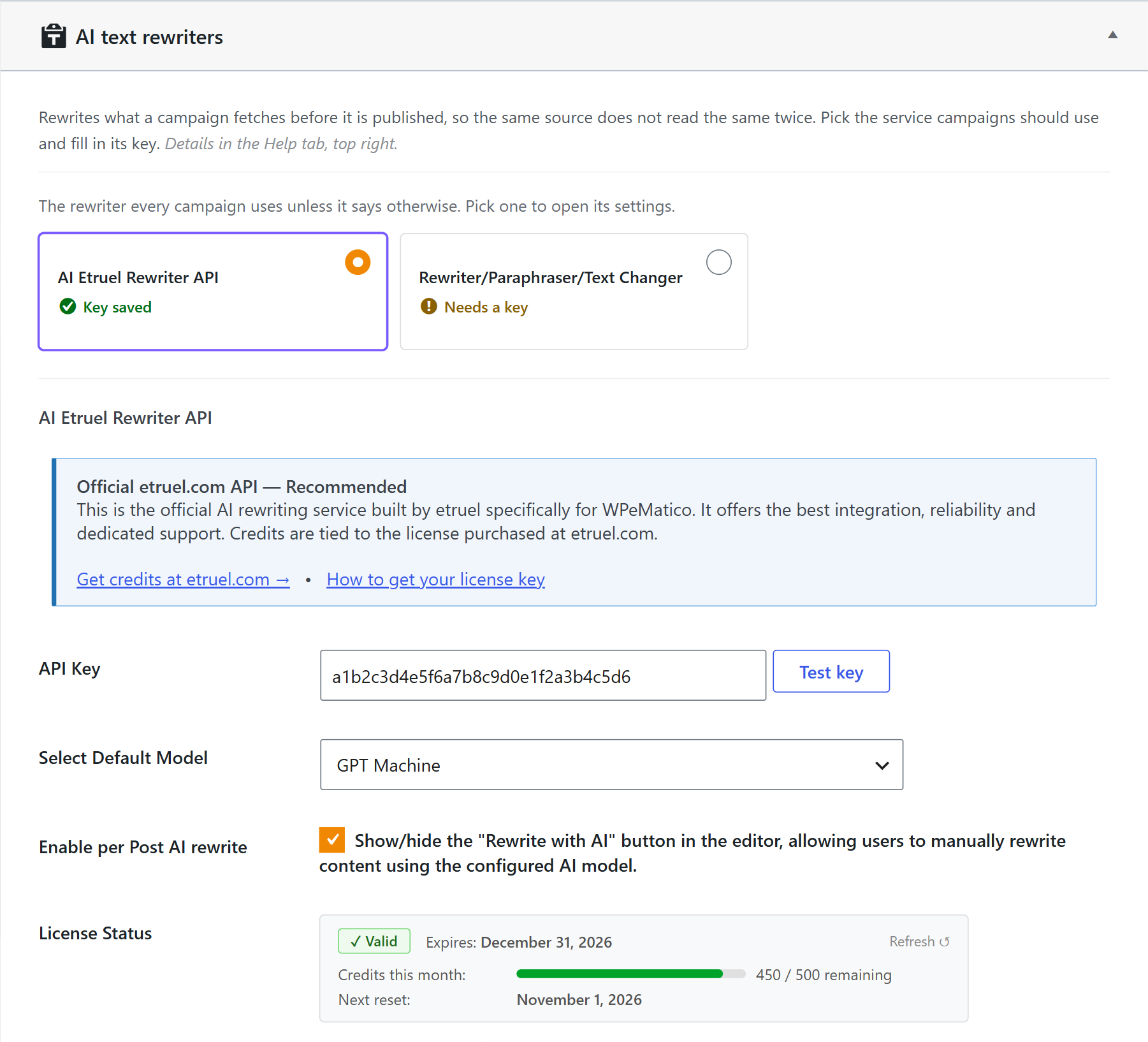
- Select AI Etruel Rewriter API. The service you select is the one that every campaign uses, unless the campaign says otherwise.
- Paste your license key in the API Key field and click Test key.
- Choose the model in Select Default Model.
- Click Save settings. The License Status shows the state of your license.
From now on, GPT Spinner sends the content of your campaigns to the AI Etruel Rewriter API, and you can set the rewriting options of each campaign.
Check Enable per Post AI rewrite to also show a Rewrite with AI button in the post editor, so you can rewrite any post by hand.
If you have problems, contact our support.


