

A campaign can only import the items that the feed includes. Most feeds publish only their latest 10 items, so a campaign will never get more than that in a single run, no matter how you configure it.
Open the feed URL in your browser, or click the eye icon next to the feed in the campaign, to see its items. If the feed has 10 items, that is the maximum a campaign can read from it each time.
This is not a problem for autoblogging: as the source site publishes new items, they appear at the top of the feed and the campaign picks them up in its next runs.
In the Options for this campaign box, Max items to create on each fetch sets how many posts the campaign creates every time it runs.
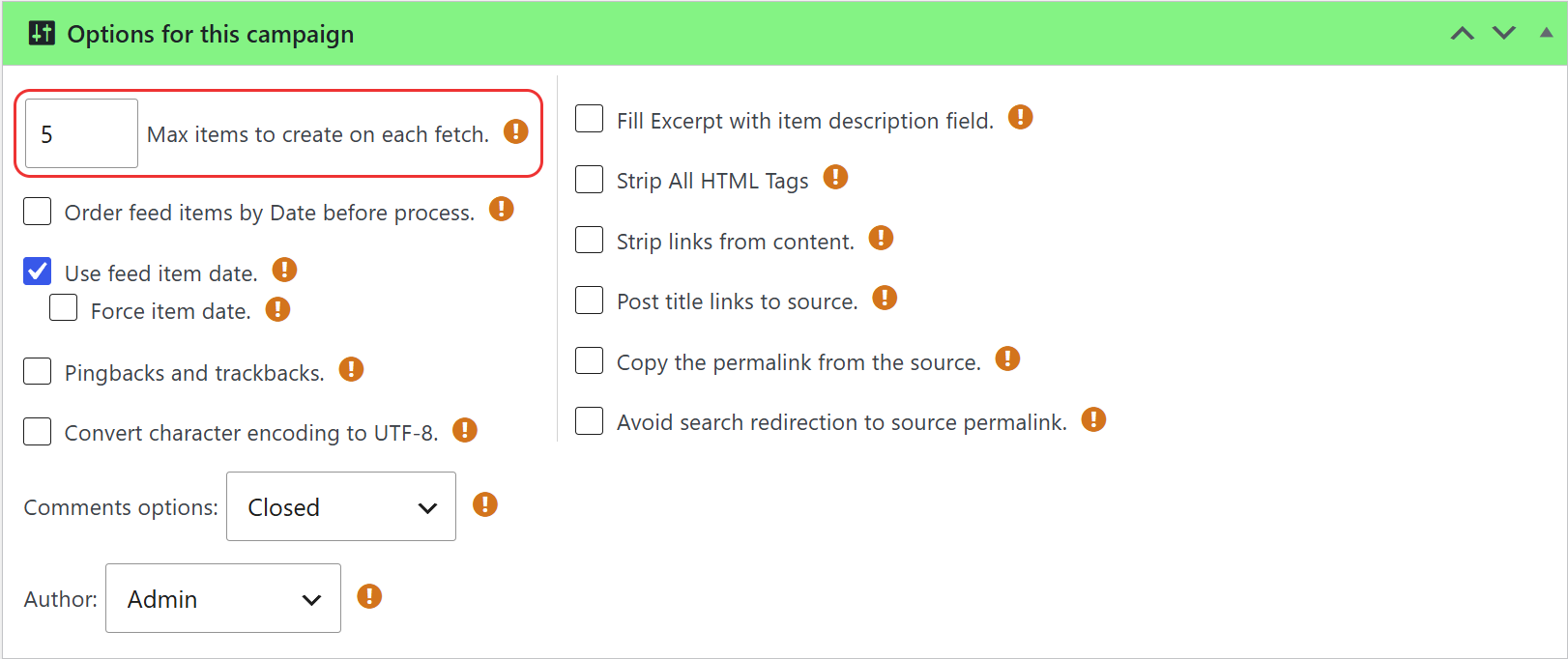
We recommend a low value, like 3 or 5, and running the campaign often enough to catch the new items. Lower values give better performance. See Jump duplicate posts and How to use Cron Scheduling?
Standard WordPress feeds are paginated: besides the first page with the latest items, older items are available in other pages, like https://example.com/feed/?paged=2.
The WPeMatico Professional addon can read those pages. Turn on Enable “Multipaged” feeds feature in its PRO Options, open the advanced options of the feed in the campaign and check Check to use as a multipage feed.
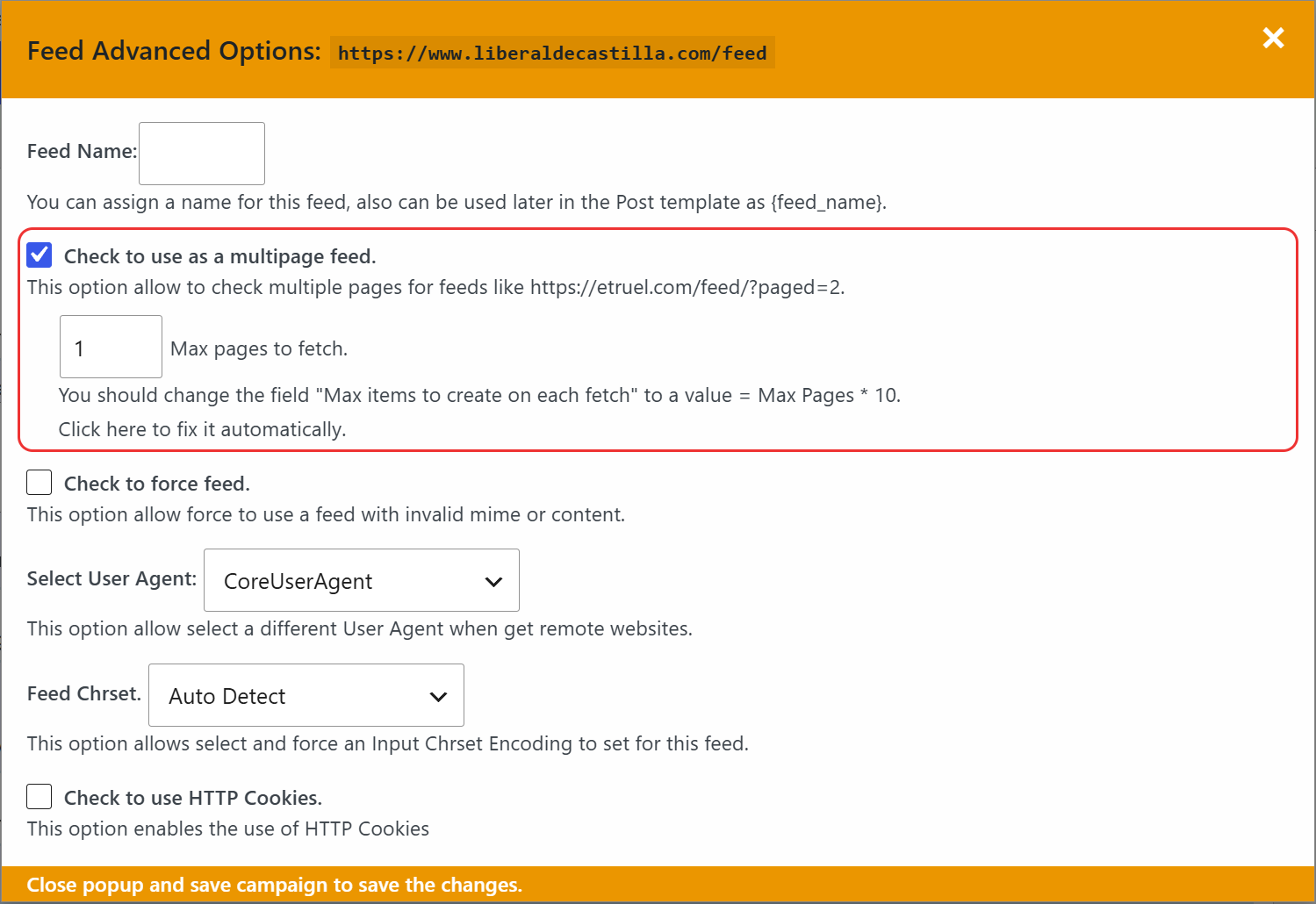
Set how many pages to read in Max pages to fetch. As the window suggests, raise Max items to create on each fetch to the number of pages × 10, or click Click here to fix it automatically. Then close the window and save the campaign.
For the details, see How to use Multipage Feeds?
Note: Multipage feeds only work with feeds that support pagination, like the standard feeds of WordPress sites.


